
Inside your LearnWorlds school, you will find a tab called Course Hub. There, you can license courses created by other LearnWorlds schools and use them in your own school.
By licensing courses from the Course Hub, you gain access to high-quality, vetted content from verified Publishers. This helps you save time, reduce workload, launch new courses faster, expand your catalog, or offer content beyond your in-house expertise.
License a course from the course hub
When you license a course, you become a buyer, purchasing a ready-made course from the Course Hub library. For each learner enrollment, you pay the Publisher the per-enrollment license fee they have set.
To license a course:
- Navigate to Courses & Programs → Course Hub
- Browse the Course Hub catalog.
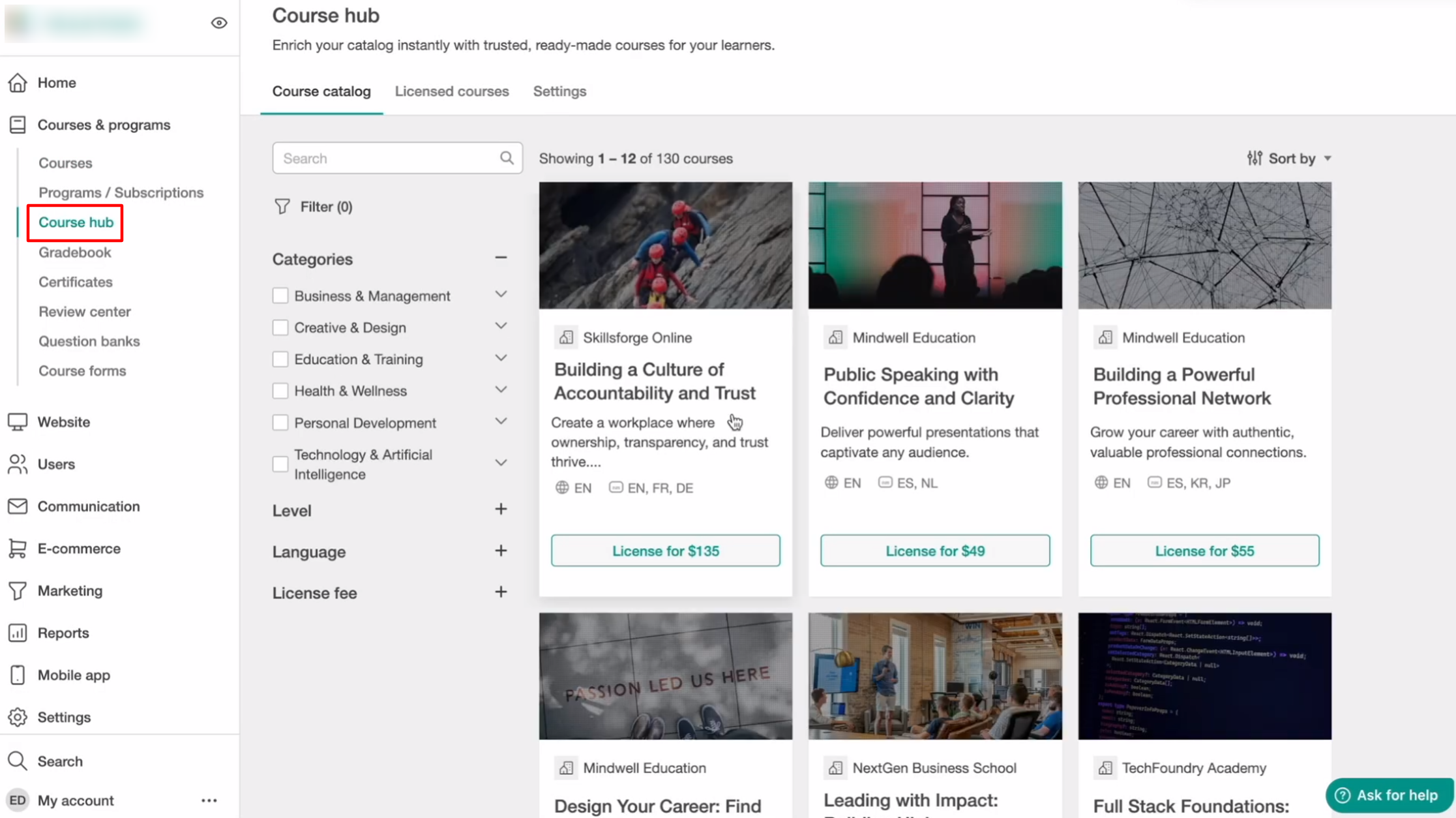
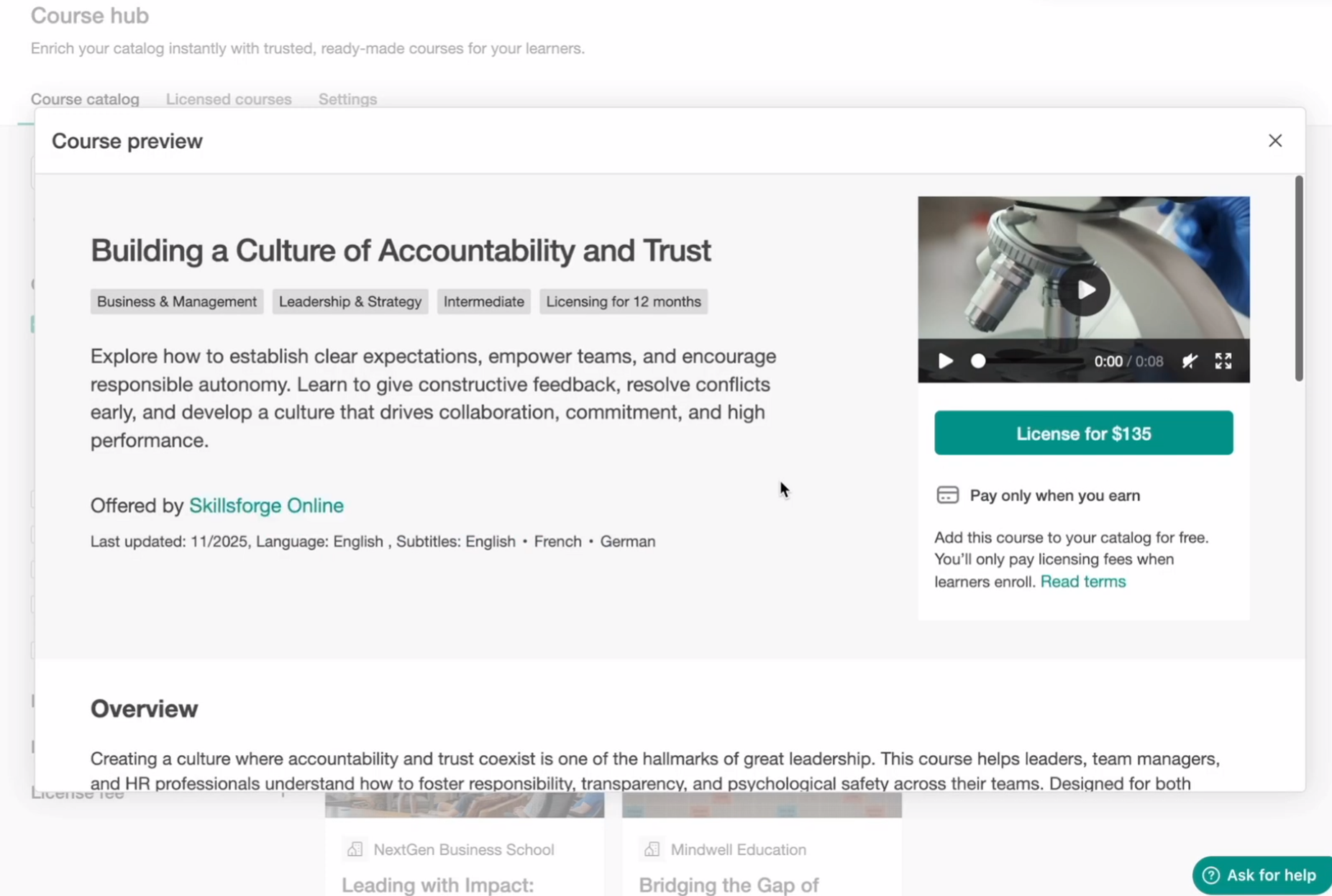
- Click the course you want to license
- Click License
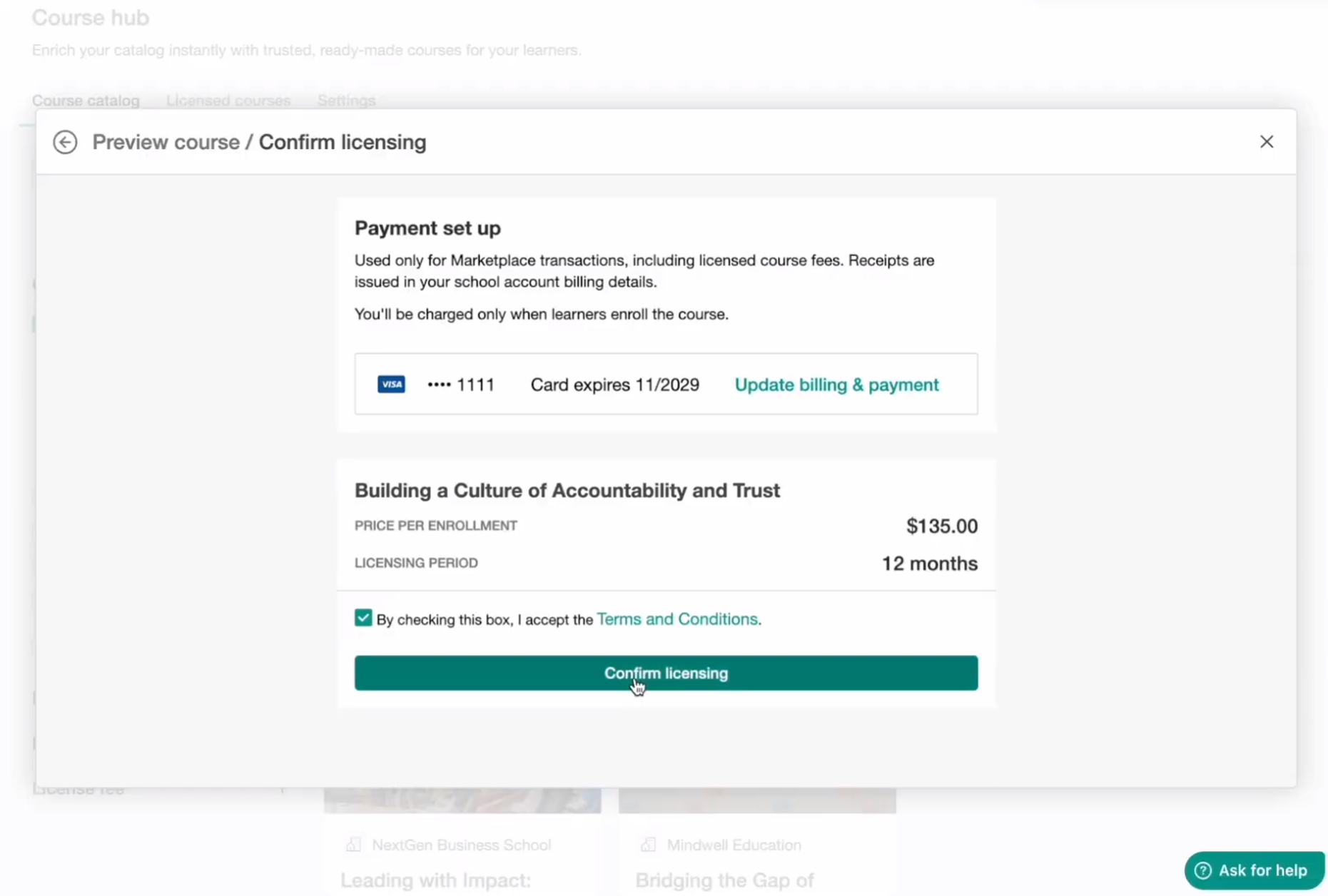
- Add your billing and payment information (If billing details are prefilled and you update them during licensing, the new billing information will also update your school’s saved payment details and apply to all active licensing agreements.)
- Accept the Terms & Conditions
- Click Confirm licensing
Where your licensed course appears
After licensing, the course is added to your Course Manager as a Draft course. Licensed courses appear alongside your existing courses and include a “Licensed Course” label on the course card for easy identification.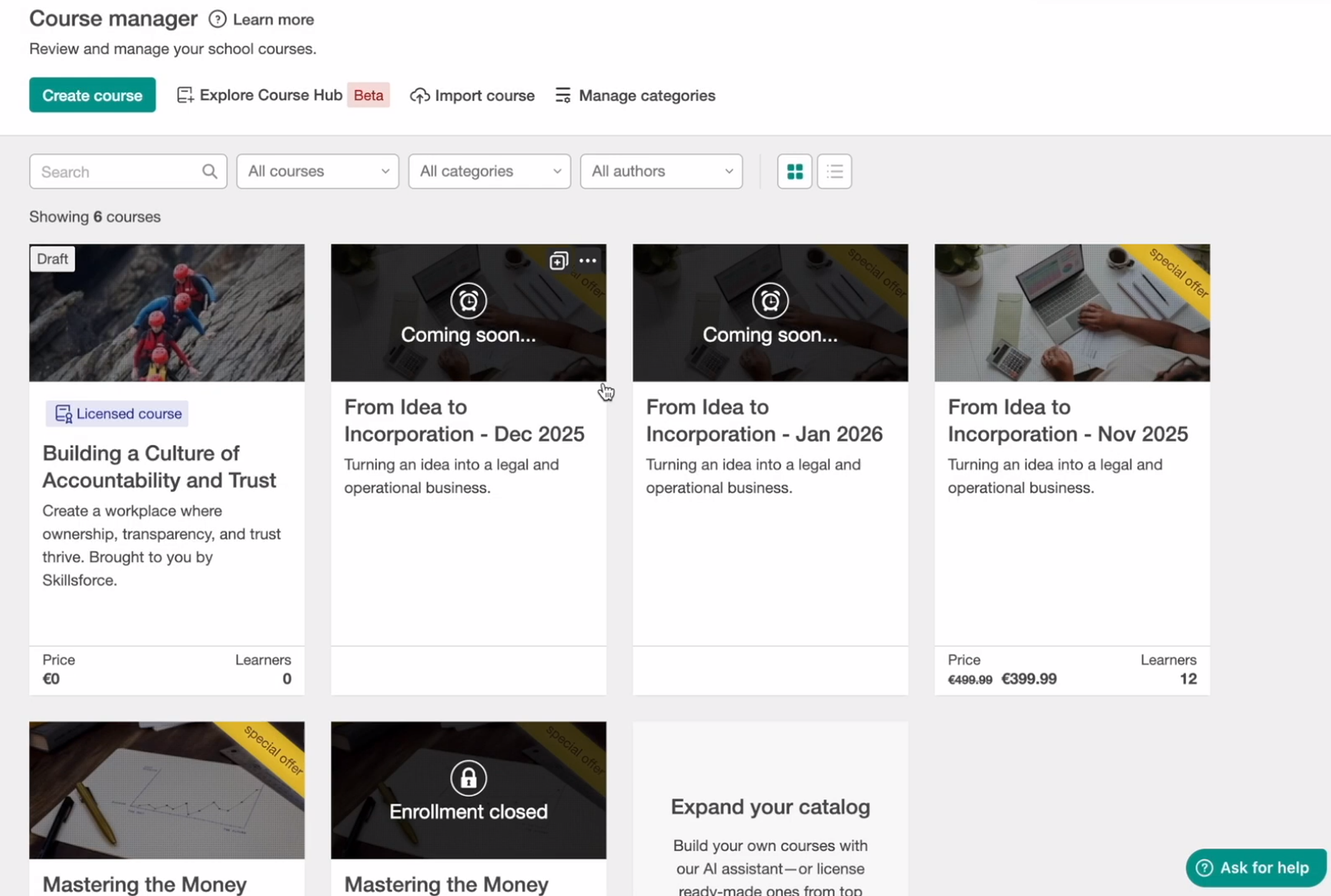
You can also locate it under Licensed courses.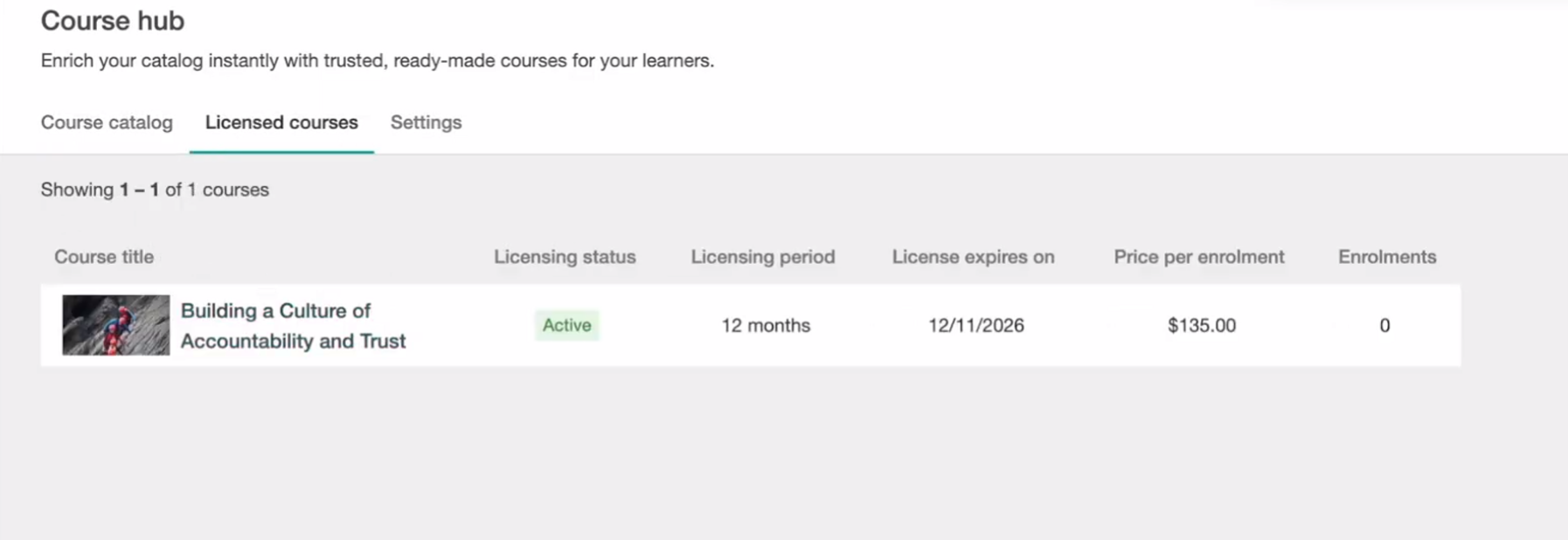
What you can and cannot edit
Licensed courses are protected to ensure the Publisher’s content remains intact. There are some things that you as a buyer can edit while other are not available.
You cannot:
- Add, edit, or remove learning activities or sections
- Modify activity settings
- Access or edit the Video Library
- Export or download course media
You can:
- Preview the course content
- Manage learner enrollments and grading
- Customize the course page layout. When you license a course, its course page is created using your school’s default layout template. You can fully customize the course page to match your branding and design preferences.
- Edit course-level settings (pricing, visibility, access rules, navigation settings, drip schedule, etc.)
The only part you cannot modify is the actual course content (activities and structure).
You can adjust course-level settings such as:
- Pricing
- Visibility
- Access options
- Enrollment rules
- Navigation settings
- Drip feed (if desired)
Licensed courses use your school’s default settings, and you can customize their configuration based on your plan. For example, you can enable drip feed, adjust navigation settings, and create automations related to the course.
 The course’s Video Library is hidden and cannot be accessed by the Buyer. This ensures the Publisher’s original media files remain protected.
Enrolling learners in a licensed course
While the licensing agreement is active, you can make the licensed course available to learners in several ways. For example, you can:
- Sell it through your website
- Enroll learners manually
- Offer it through user groups or multiple seats
- Include it in bundle offers
- If you manually enroll a learner, a confirmation message will appear because enrollments are billable.Enrollment billing rules
When you license a course, you pay the Publisher for every new enrollment created in your school.
2-Hour grace period
If you accidentally enroll a learner, you have 2 hours to unenroll them so the enrollment is not billed. After 2 hours the enrollment becomes billable.
- Refunds are not automatic.
- A refund is only possible at the Publisher’s discretion (processed via Stripe).
License expiration and renewal
When a licensing agreement approaches its expiration date, you can renew the course to continue using it for new enrollments.
14 days before expiration, the licensing agreement is marked as Expiring.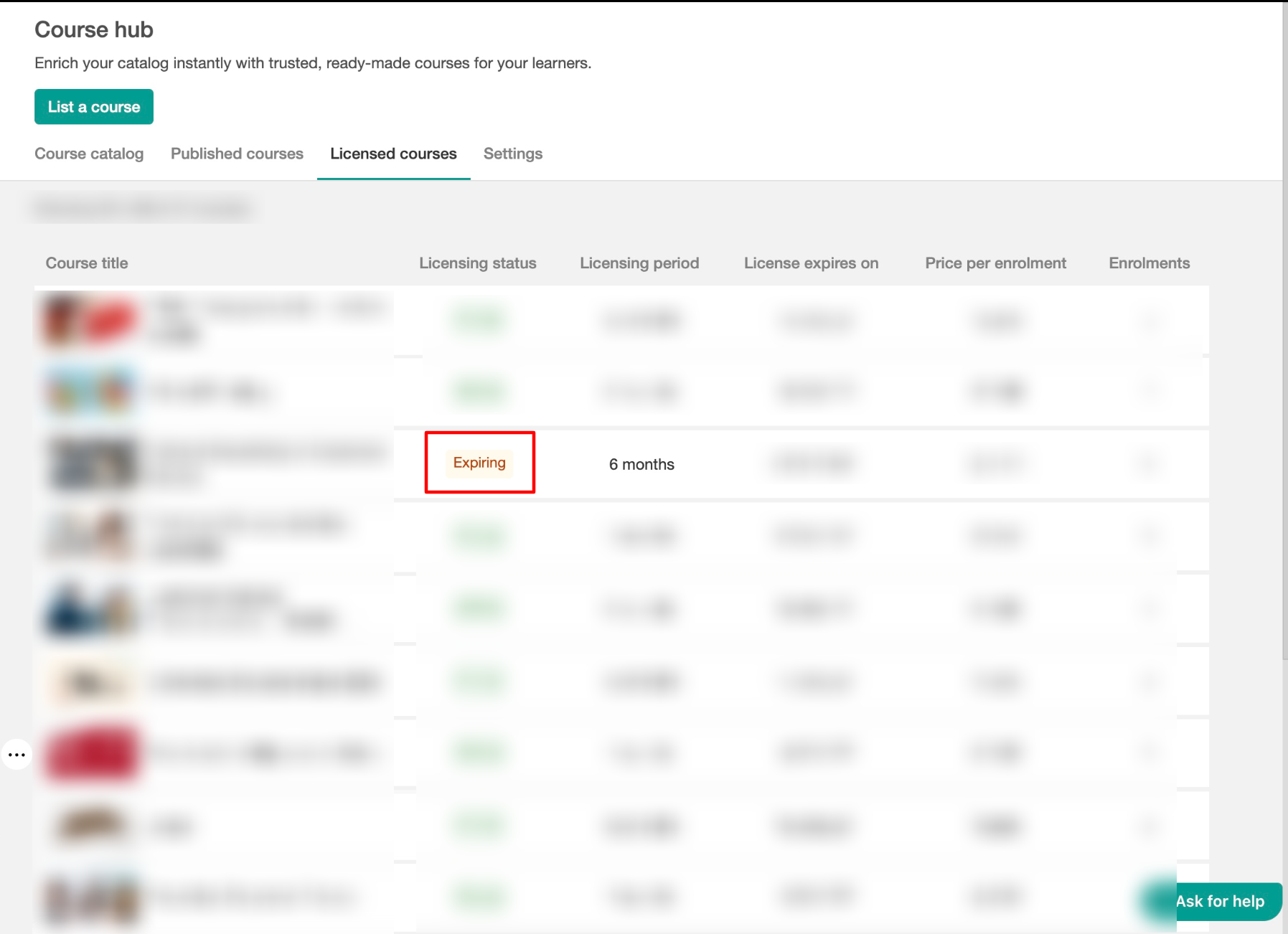 If the agreement reaches its end date without being renewed, its status changes to Expired.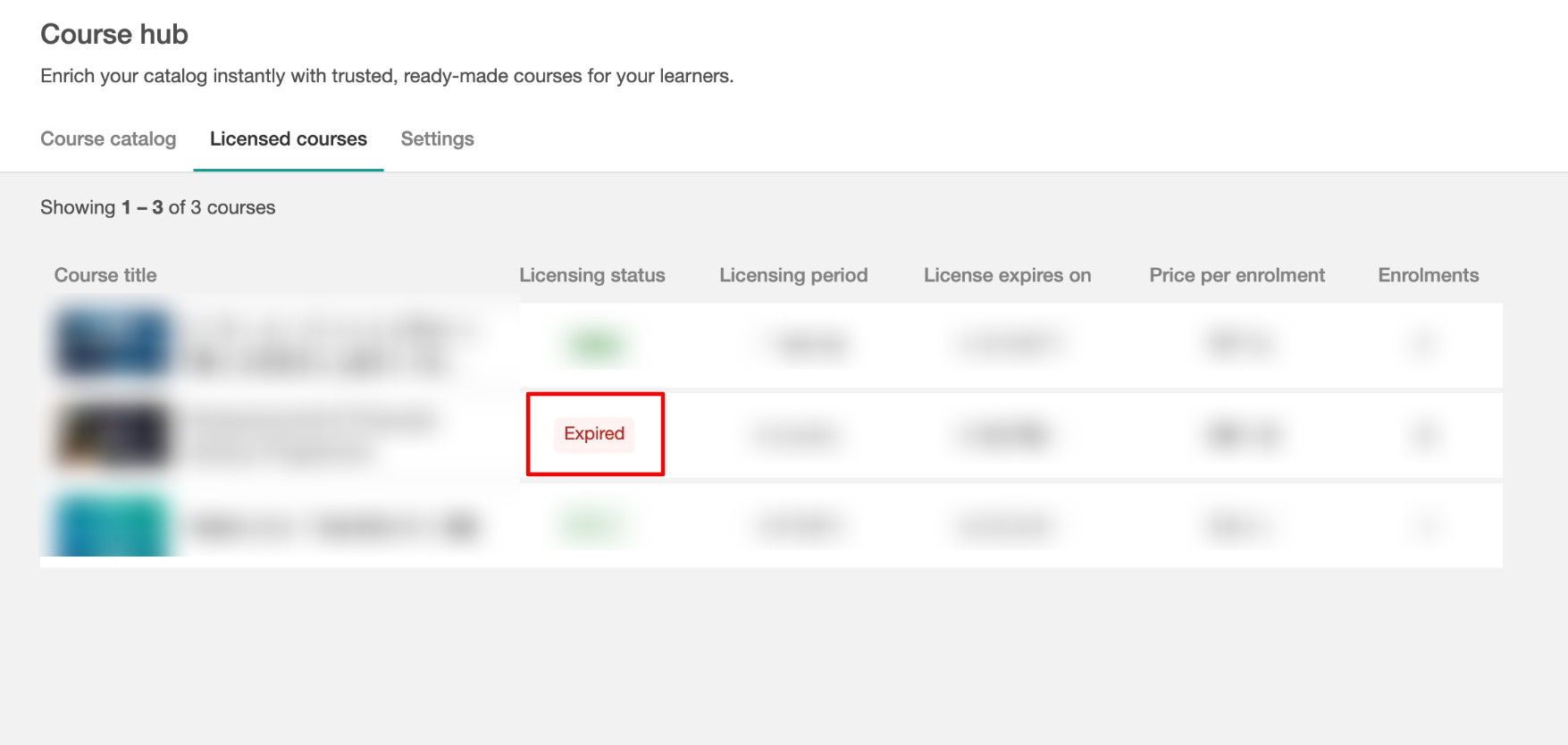
You can review the latest licensing terms and renew an eligible course directly from Course Hub. Renewing the course creates a new licensing agreement.
What happens when a licensing agreement expires
If a licensing agreement expires, learners who are already enrolled keep access to the course. However, you can no longer make the course available to new learners until the license is renewed.
The course remains visible to admins in Course Manager and is marked as Expired. While it is expired:
- New manual, bulk, automation-based, and API enrollments are blocked.
- The course is hidden from the Course Catalog, and purchase, enrollment, add-to-cart, and gift options are removed from its course page.
- The course cannot be added to groups, seat offerings, enrollment automations, bundles, Custom Deals, product discounts, order bumps, or product recommendations.
- Its access status cannot be changed.
- It is excluded from automatic product recommendations.
If the course is already part of an active bundle offer, the offer status changes to Draft when the license expires. To make the bundle available again, remove the expired course or renew its license, then make the bundle offer public again.
The same applies to a custom deal that has not yet been purchased: it is moved to Draft until the expired course is removed or its license is renewed. You can then publish the Custom Deal again.
Your existing learner and course history is not removed. You can continue accessing learner progress, assessments, reporting, and other historical data.
To use the course for new learners again, renew its licensing agreement from Course Hub.
- Licensing a course is a business agreement. Buyers are expected to license courses only when they intend to use them.
- Licensing courses for the purpose of copying, extracting content, or without the intention to offer them to learners is strictly prohibited.
- If LearnWorlds identifies systematic misuse (for example, repeatedly licensing courses without using them), we may investigate and take appropriate action.
FAQs: Licensing and using courses
- Can I change the course content after licensing it?
No. Licensed course content cannot be edited. You may customize layout and course settings only.
- Can I download course videos?
No. The Video Library is hidden and media files cannot be downloaded or exported.
- If I sell the course for more than the license fee, does the publisher earn more?
No. The publisher earns only the per-enrollment license fee they set. Your selling price does not affect their earnings.
- Can I offer the course for free?
Yes. You can offer it for free. However, you will still be charged the per-enrollment license fee for each learner enrolled.
- Can I manually enroll learners?
Yes. Manual enrollments are billable, and a warning message will appear before confirmation.
- How often am I billed?
Billing is calculated monthly based on billable enrollments during that cycle. In some cases, if usage exceeds a threshold, charges may be triggered earlier.
- What happens when the licensing agreement ends?
Existing enrolled learners keep access, but the course can no longer be offered to new learners. It is marked as Expired until you renew its licensing agreement. Any affected bundles or eligible Custom Deals may also be moved to Draft and need to be published again after the issue is resolved.
- Can the publisher update the course content after I license it?
After you license a course, the version downloaded into your school does not automatically update if the Publisher makes changes to their original course.
Any updates the Publisher makes later will not be reflected in your licensed course unless a future update mechanism becomes available.
- Can the publisher change pricing during my active agreement?
No. If a publisher updates the license fee, the new price applies only to future licensing agreements.
- Can the publisher see how much I charge my learners?
No. Publishers only see enrollments and revenue based on the license fee. They do not see your selling price or margins.
- Do plan restrictions apply to licensed courses?
No. Plan restrictions apply to what you can create, not to what you can use via licensing. This means that if a licensed course includes features available only for Learning Center plan and above, and you are on the Pro Trainer plan, you will be able to use this course and activities with no issues.
- Can I license a course just to preview or extract content?
No. Licensing for copying or content extraction is prohibited under the Course Hub Terms.