
Availability
Starter
Pro Trainer
Learning Center
High Volume & Corporate
Adding transcripts to videos helps learners follow along more easily by allowing them to watch and read at the same time. Transcripts can also improve navigation, as learners can jump directly to specific parts of the video through the transcript text.
- In the Learning Center plan, you have 6 hours per month (Monthly plan) and 80 hours per year (Yearly plan) of transcription time available.
- In the High-Volume plan, you have 20 hours per month (Monthly plan) and 300 hours per year (Yearly plan) of transcription time available.
In this article, you will learn how to add extra transcription time for your videos.
1. Navigate to Settings → Video → Transcription services.
2. Click on Ask the support team for more time.
3. The Ask for help widget will pop up. Submit the form and our support team will get back to you. 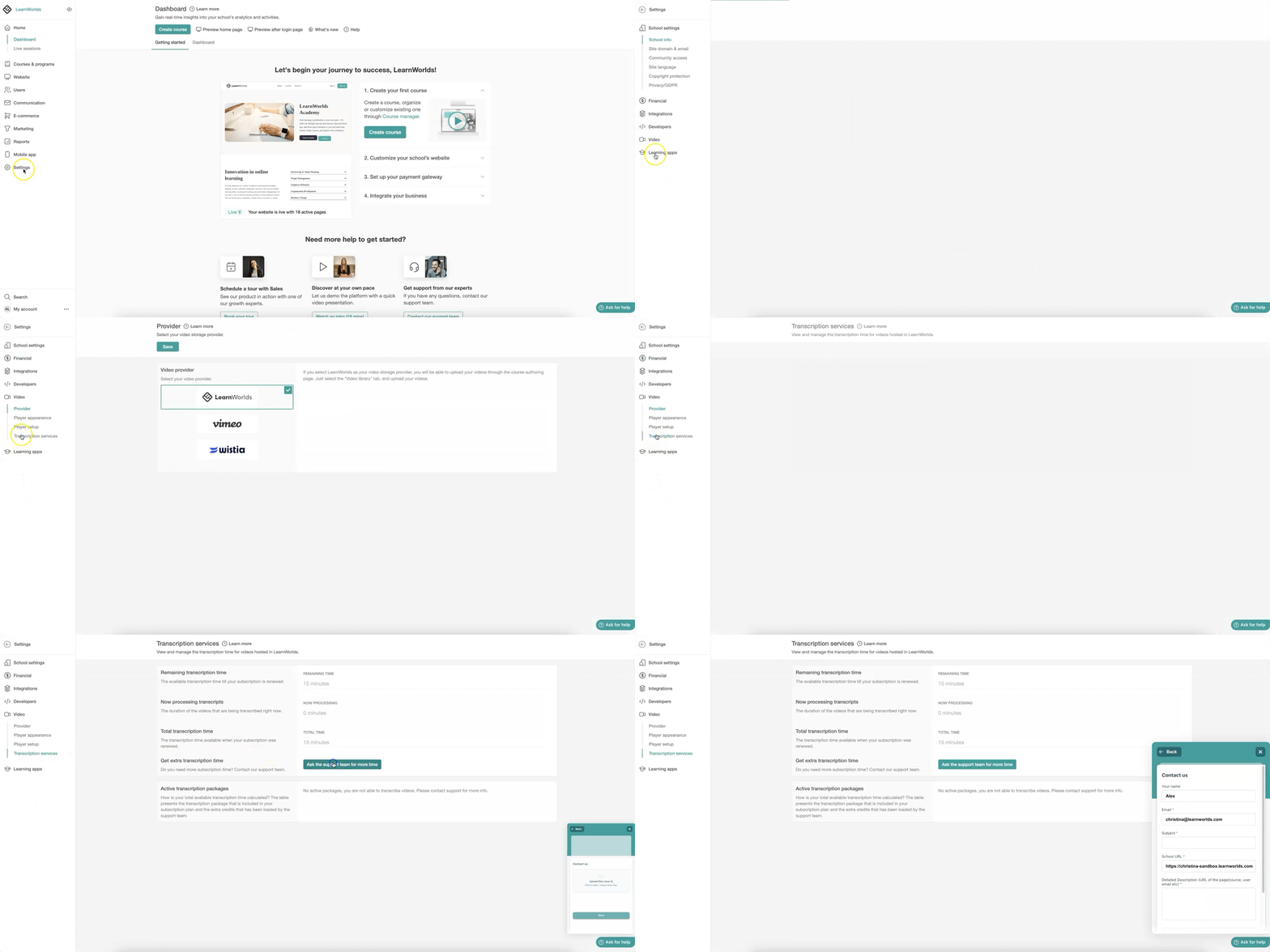

Transcription services are available only for videos hosted in the LearnWorlds video library.