
An inline authentication form allows users to sign up, log in, or reset their password without leaving the current page, creating a smooth and uninterrupted user experience. This improves convenience, increases engagement, and simplifies the authentication process, helping reduce drop-offs and improve user satisfaction.
In this article, we will learn how to integrate sign-in, sign-up, or reset password forms directly into your school pages to provide a seamless user experience.
Add inline authentication form
1. Navigate to Website → Design → Edit Website.
2. Choose any page to edit from the Page Manager.
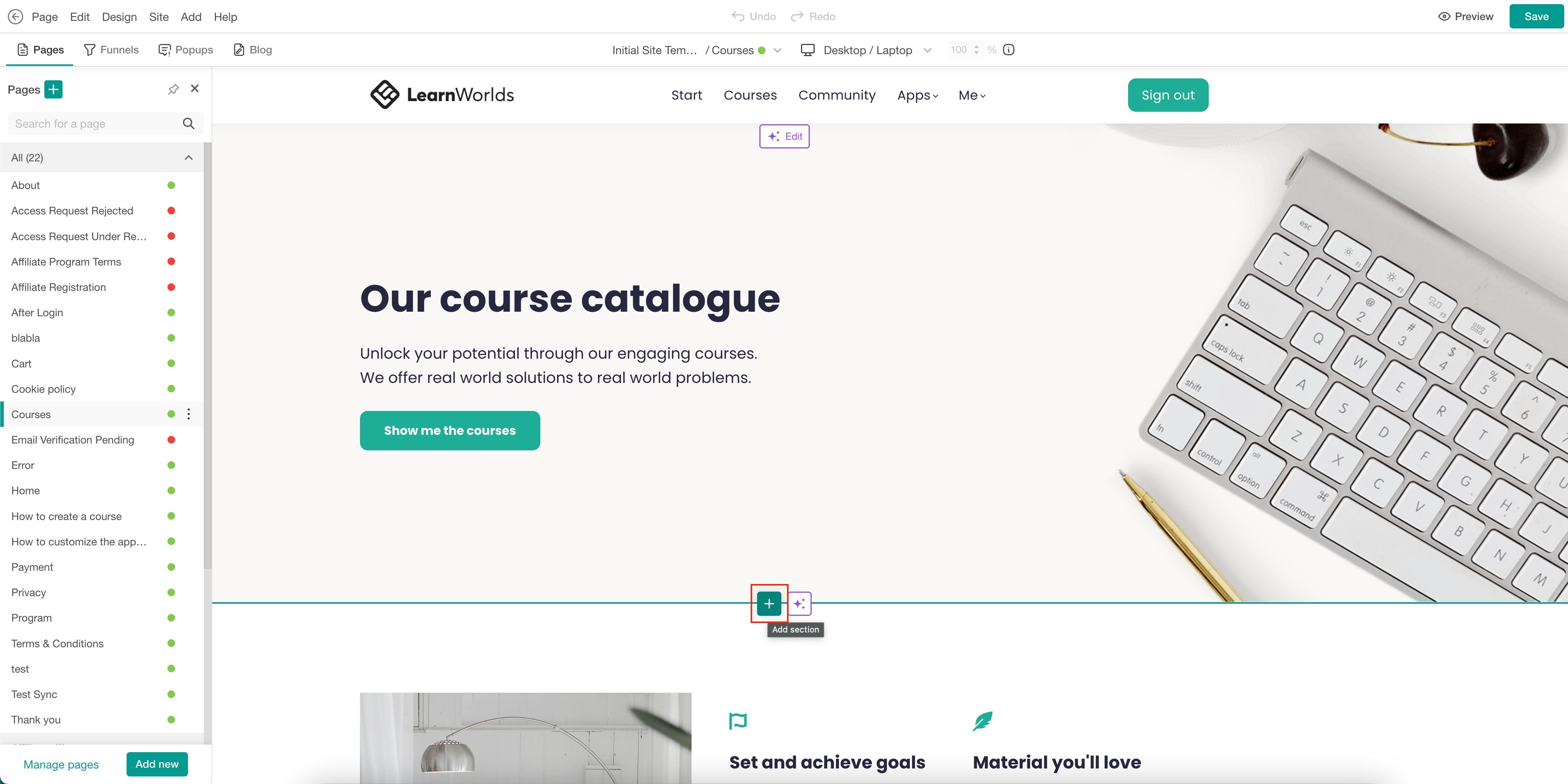
3. Hover over the page and click on the (+) icon to add a section.
4. Select Sign in/Up Forms under the Forms & Lead Capture category. Select Add to insert the preferred section, or choose Fill with AI. When using Fill with AI, a dialog box will appear, allowing you to provide instructions to further customize the selected section.
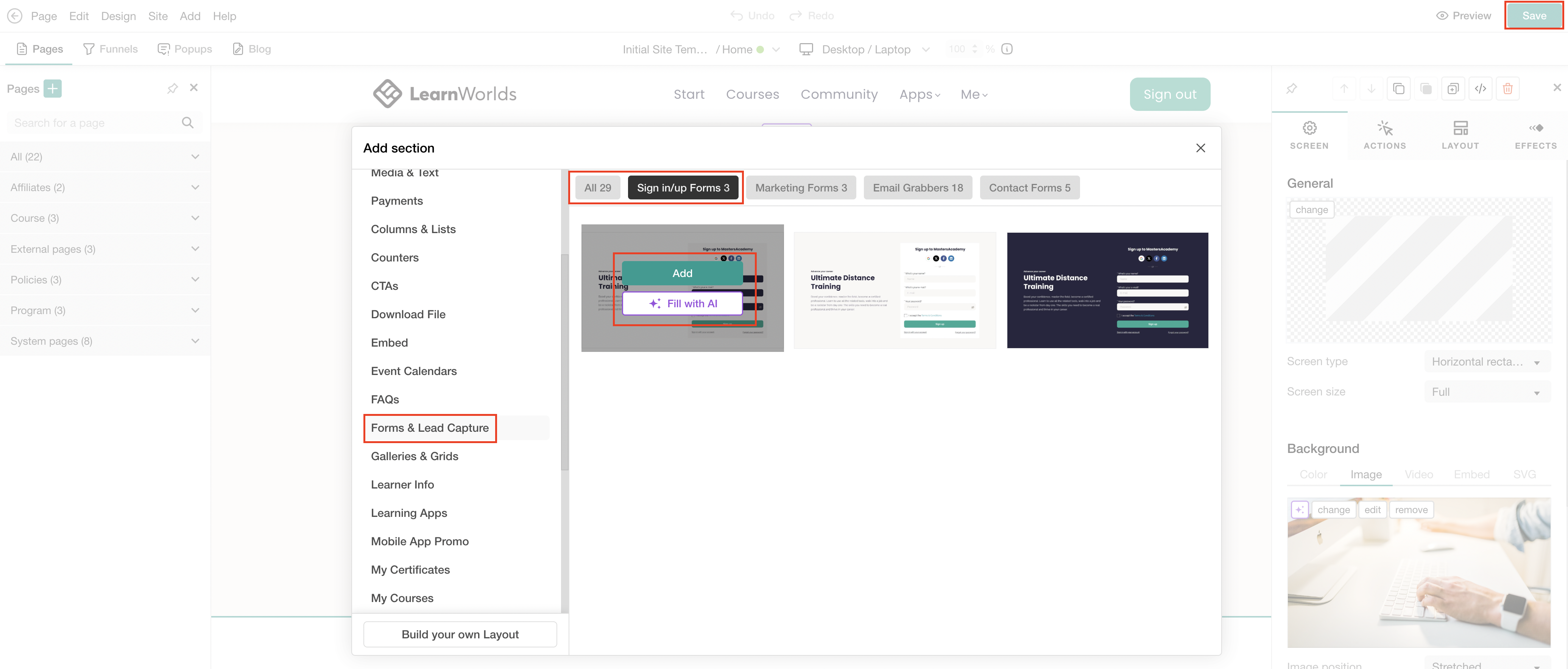
5. Click Save to save changes on the page.
Customize inline authentication form
1. Hover over the section and click on Edit inline authentication form to use the default settings, or click on the AI Edit option for the dialogue box to appear.
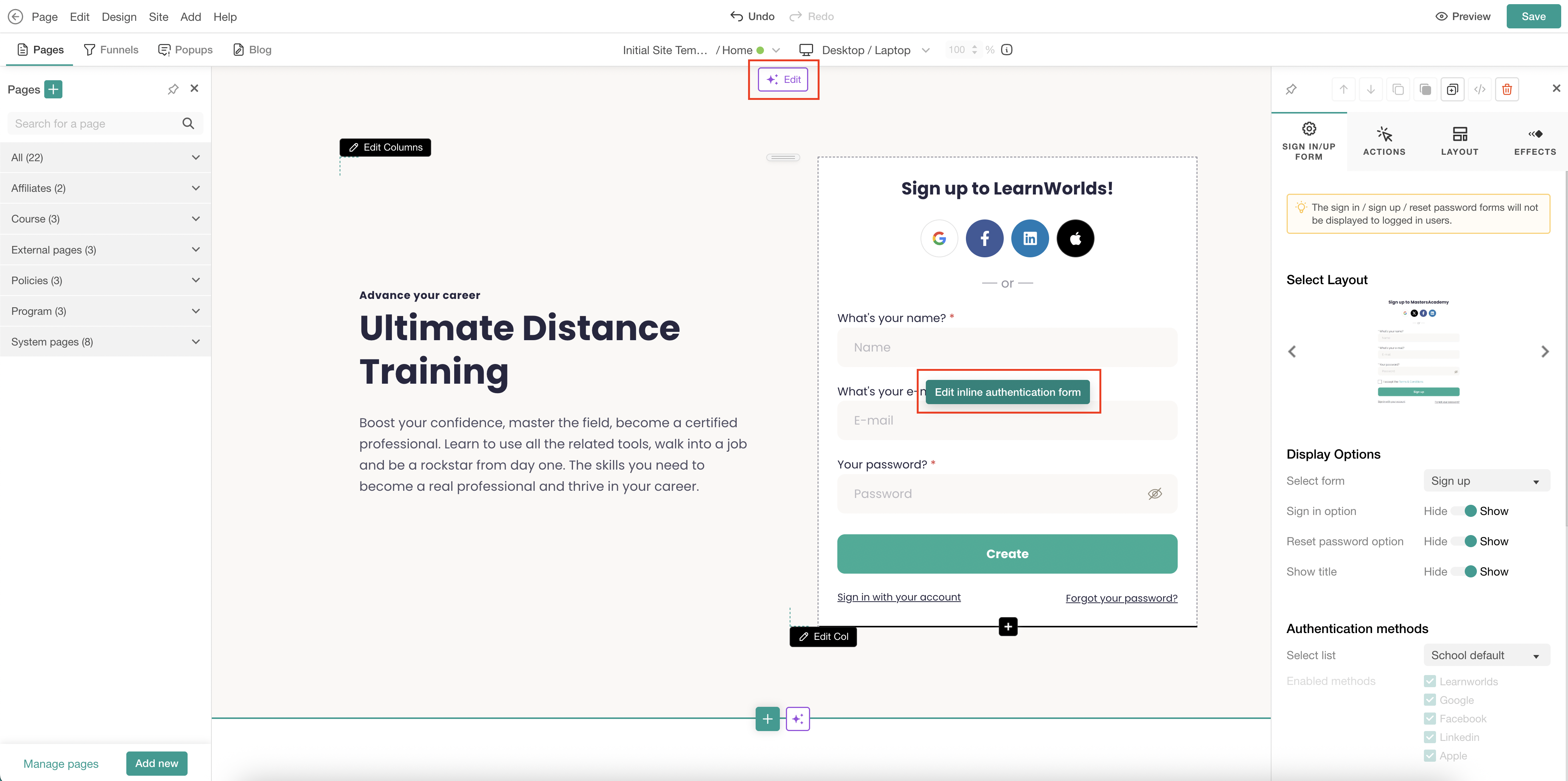
2. When using the Edit inline authentication form, the edit sideform appears. Configure the section settings to match your needs, including the display options, authentication methods, tags, message colors, and more.
- Inline authentication forms allow you to automatically assign tags to users who sign up through the form, making it easier to categorize and manage them based on their actions.
- If you want to configure the form’s visibility for specific devices, check how here.
- Check more about how to configure your sign-in and sign-up settings here.