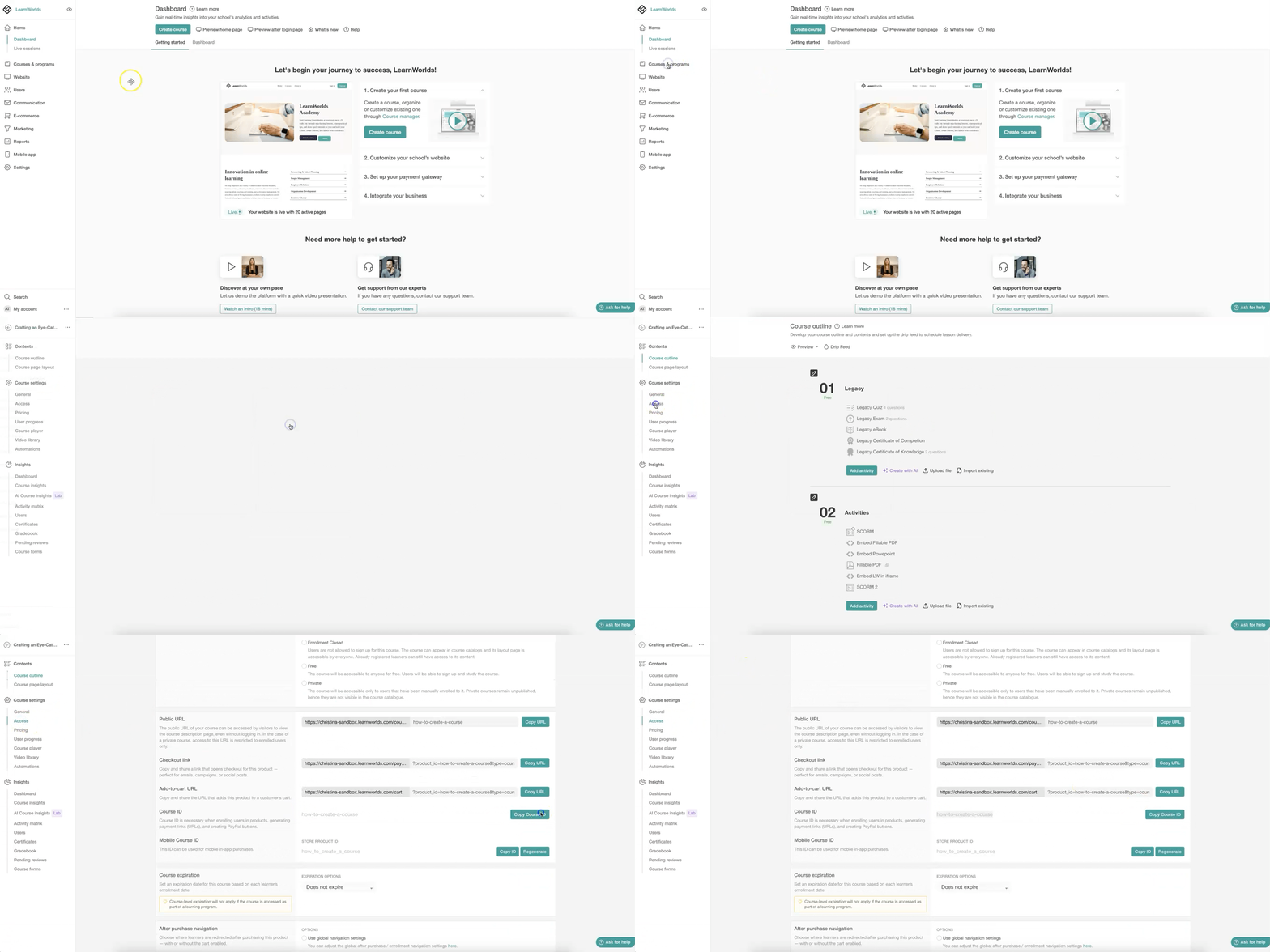
The Product ID (Course or Learning Program ID) is used for internal actions such as:
- Bulk enrolling users into products
- Generating payment links
- Creating PayPal buttons when required
 The Product ID is automatically generated during the product creation process based on the original selected slug. It is permanent and cannot be edited later. Although the product slug or public URL can be changed, the Product ID remains the same and is used only for internal authoring and system actions. It is not visible to users.
In this article, you will learn how to find the Product ID and use it for the supported actions in LearnWorlds.
1. Navigate to Courses & Programs.
2. Click on the product (course or learning program).
3. Navigate to Access → Course or Program ID
4. To copy the course or program ID to your clipboard, click on Copy ID.