
In LearnWorlds, you can use the mass emails feature to send emails in bulk to your users directly from your LearnWorlds School. This tool simplifies the process of applying specific filters and targeting a large group of users who meet the defined criteria.
You can choose LearnWorlds as your AI provider for access to outstanding AI features, with AI credits determined by your subscription plan. In addition to our AI assistant, you can connect your own OpenAI provider.
You can use the powerful AI assistant to craft your emails based on email templates, refine them, and translate your mass emails into different languages.
Create mass emails using AI
1. Navigate to Communication → Mass emails.
2. Click on New email to start creating your mass email. 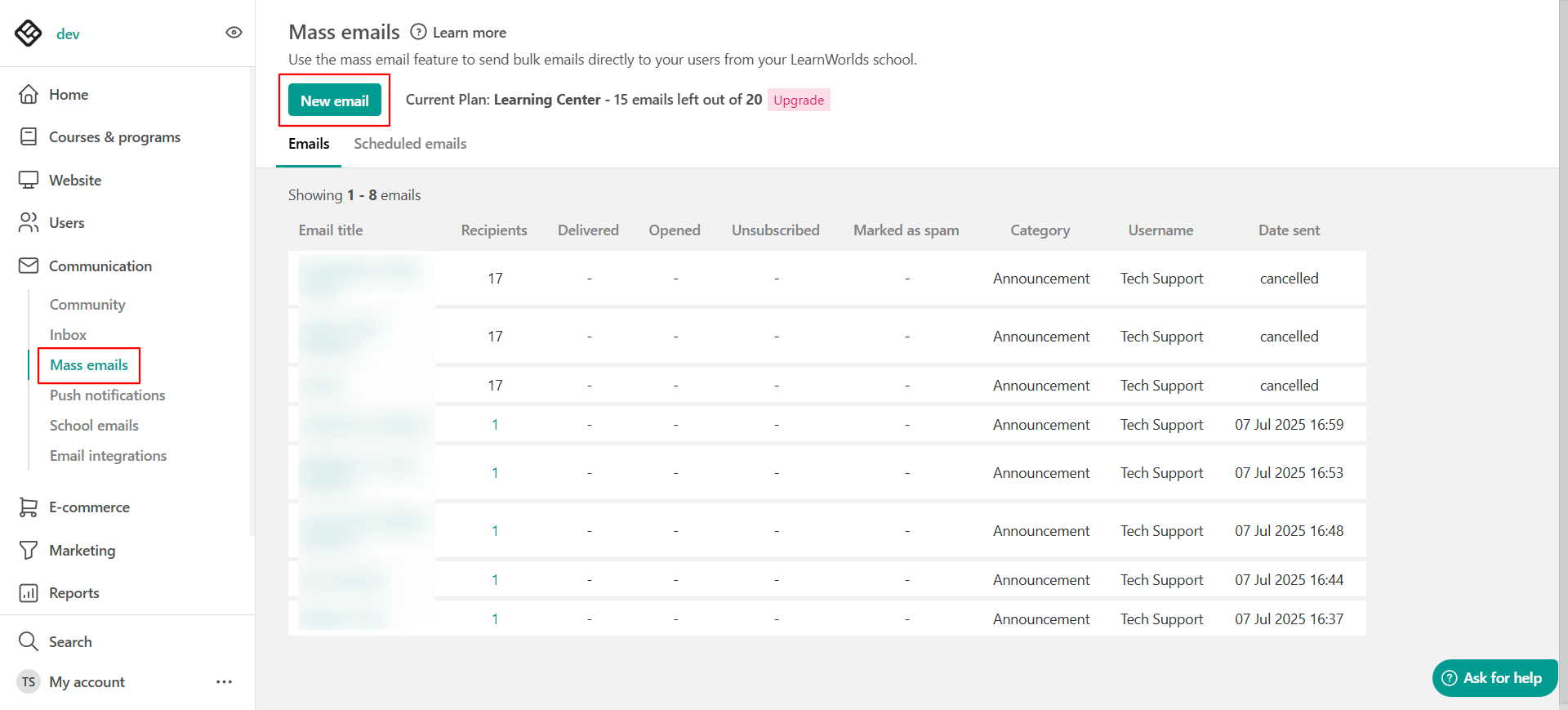
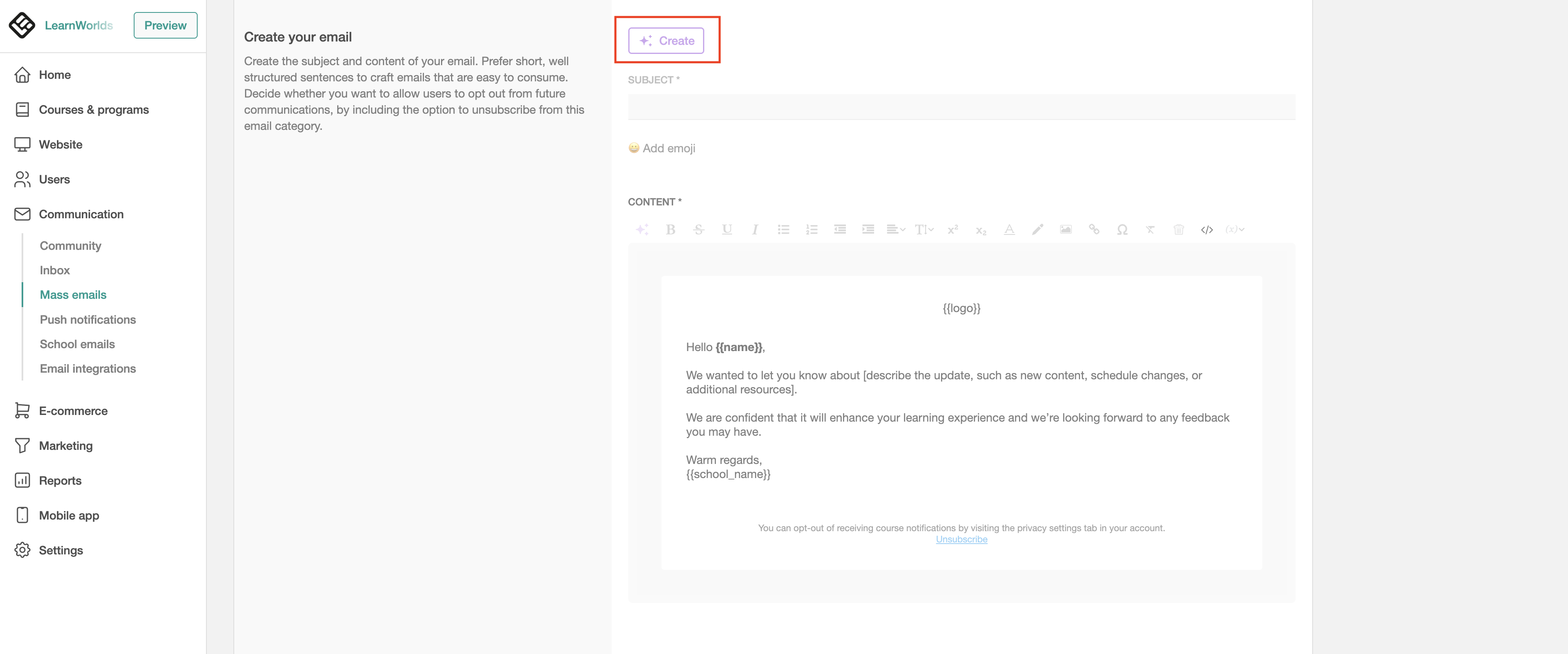
3. Use the AI Assistant to generate emails from scratch based on email templates.
4. Choose within the available options and provide the necessary details, such as the purpose of the email, call-to-actions, and tone of voice, and hit Generate.
5. Review the result to see if it suits your needs, and then click Insert to finalize.
Edit emails
Once a mass email is created, use the AI Assistant to edit the text or the title if needed. You can refine the message by making it more engaging, professional, or even surprising, and adjust the tone, style, length, or content to better fit your audience and goals.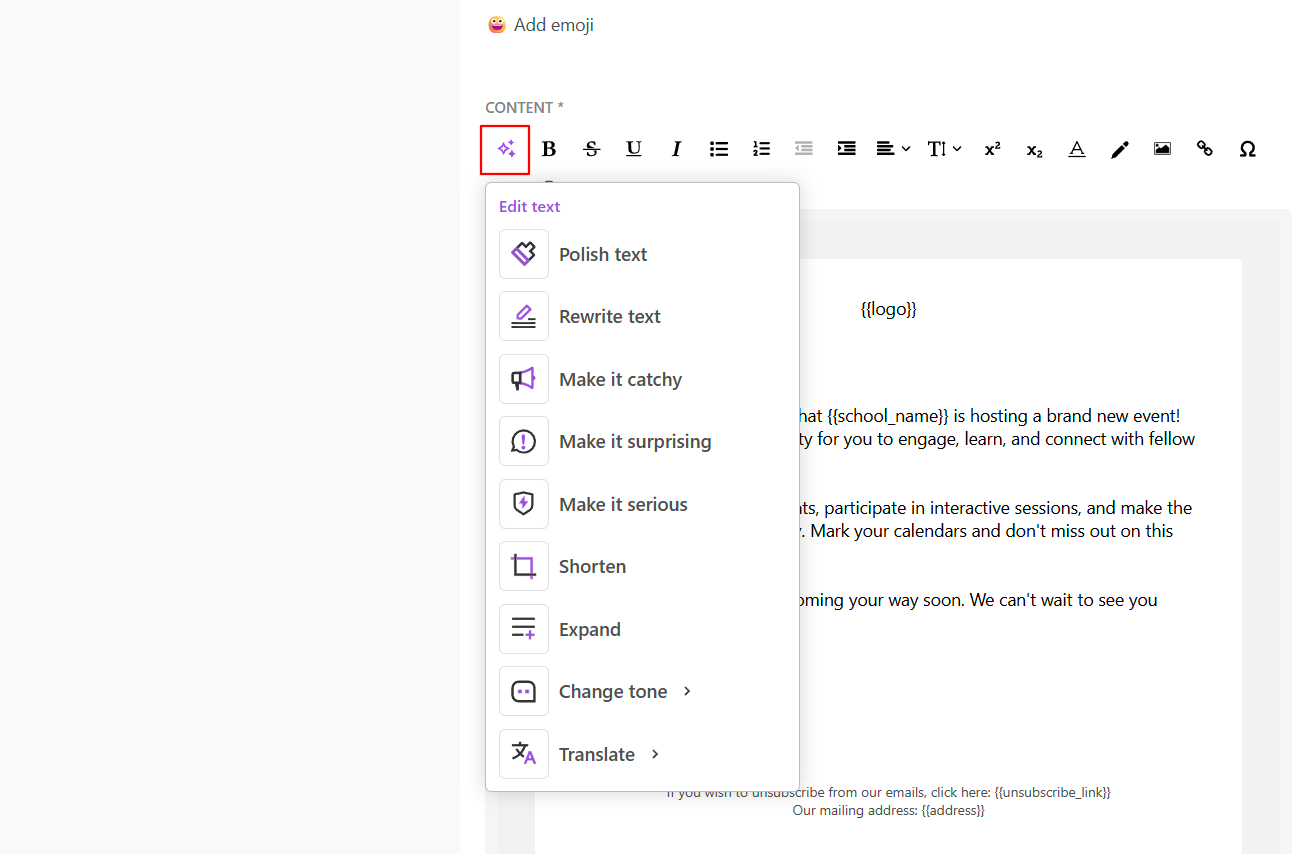
Translate mass emails
Use the AI Assistant to translate mass emails into the language you desire.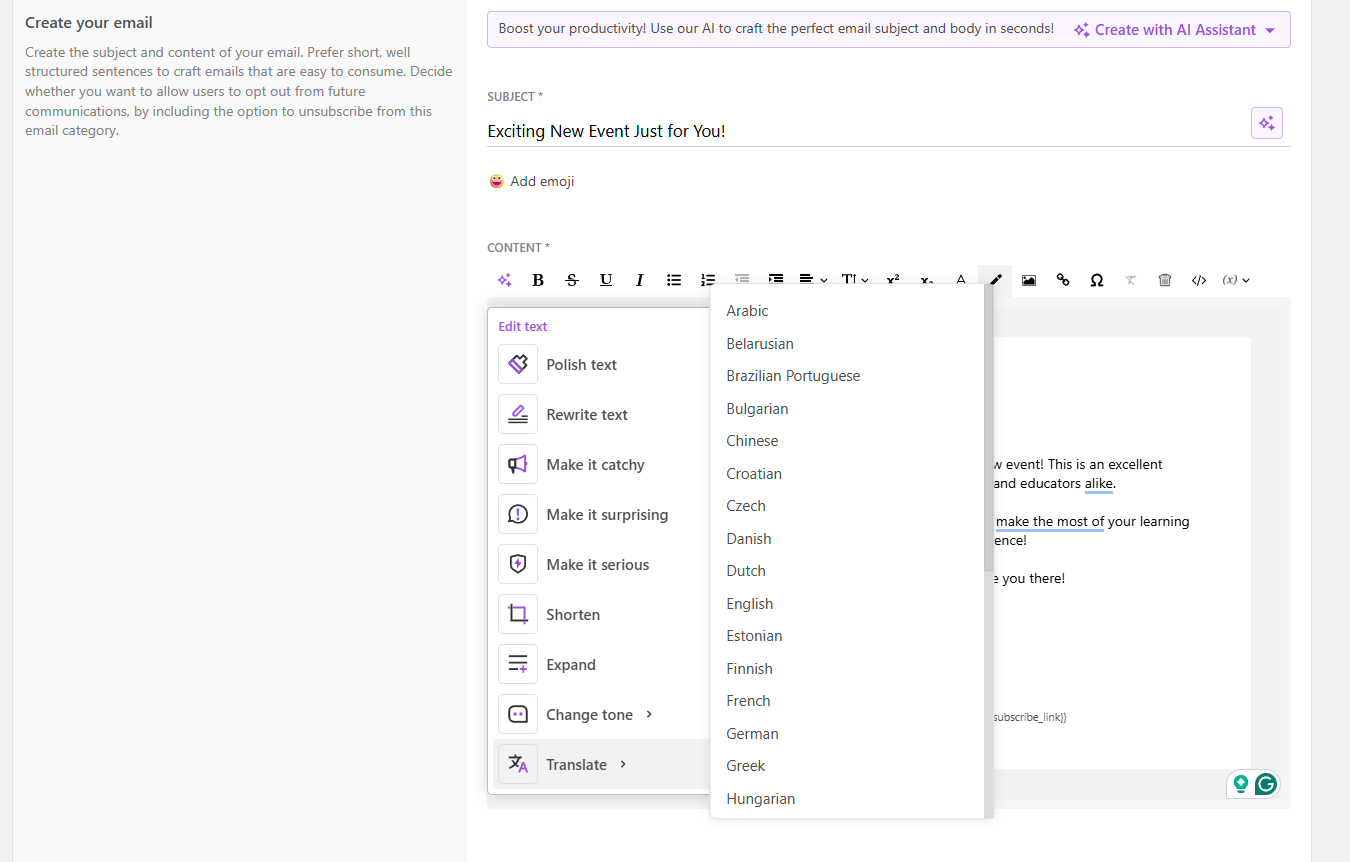
- After generating, editing, or translating your school's Mass Emails utilizing the AI assistant, make sure that the email variables are in the correct format {{variable}} and/or email links are properly inserted.
- For more info on managing AI credit usage, please refer to this article. To ensure you're fully informed about your GDPR obligationsand how Learner Consent is managed, make sure to read our article on this topic.