Your LearnWorlds school automatically sends notifications to learners when certain events occur. You can customize both:
- Inbox messages that learners receive inside their school Inbox.
- Notification emails that alert learners that they have received a new Inbox message.
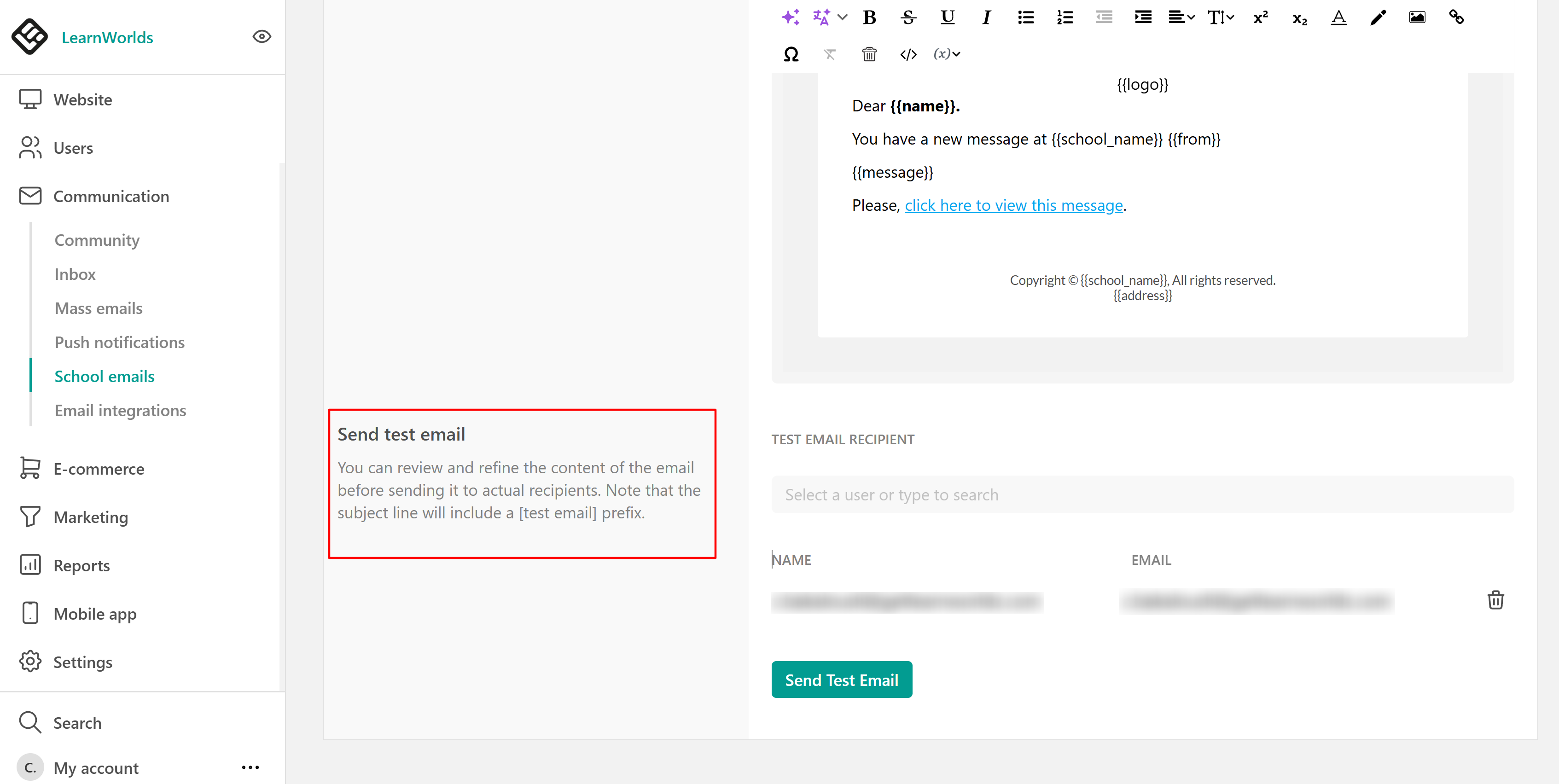
These settings can be found under Communication → School emails → Inbox settings.
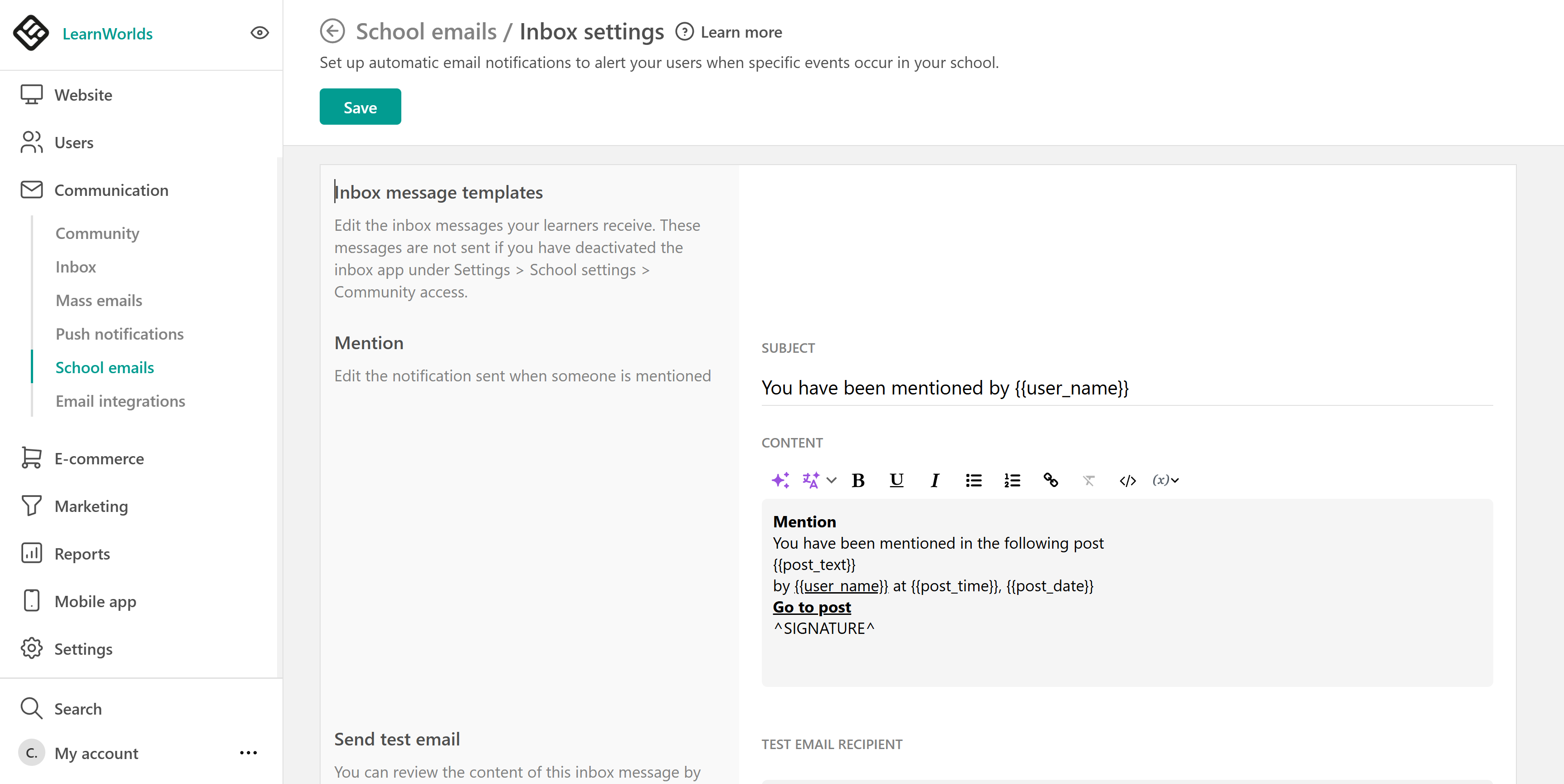
Edit inbox message templates
Inbox message templates are the messages learners receive directly in their Inbox when specific events occur. To edit an Inbox message template, under Inbox settings, locate the message you want to edit and update the Subject and Content as needed. Make sure to save your changes.
Available inbox message templates include:
- Mention
- Certificate awarded
- Assignment graded
- Badge awarded
- Space invite
- System space invite
Configure notification emails
Notification emails are email alerts that notify learners when they have received a new Inbox message and encourage them to return to your school. To enable and customize notification emails:
1. Go to Communication → School emails → Inbox settings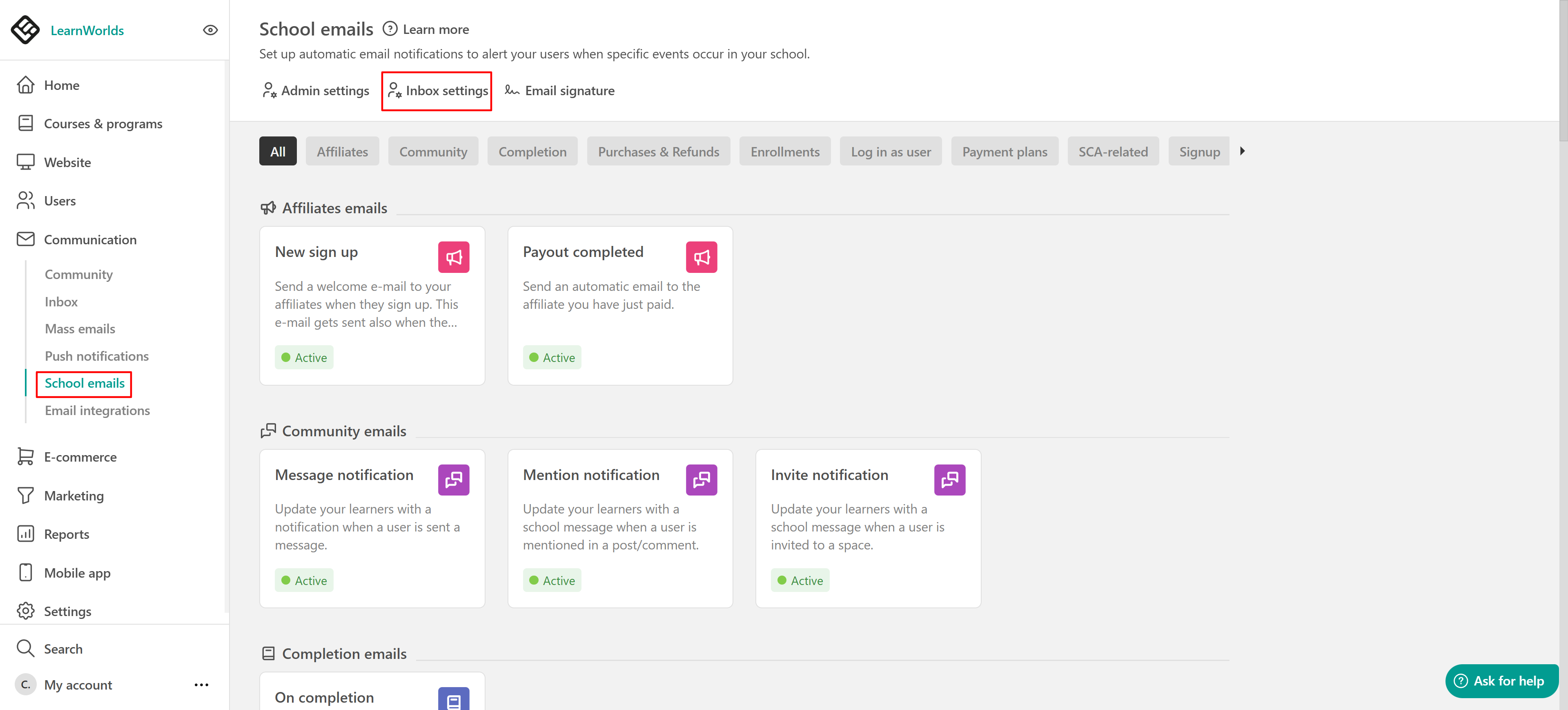
2. Select which notifications you want to enable, such as:
- On review submission
- On badge award
- On certificate award
3. Click the email template to edit the subject and email content.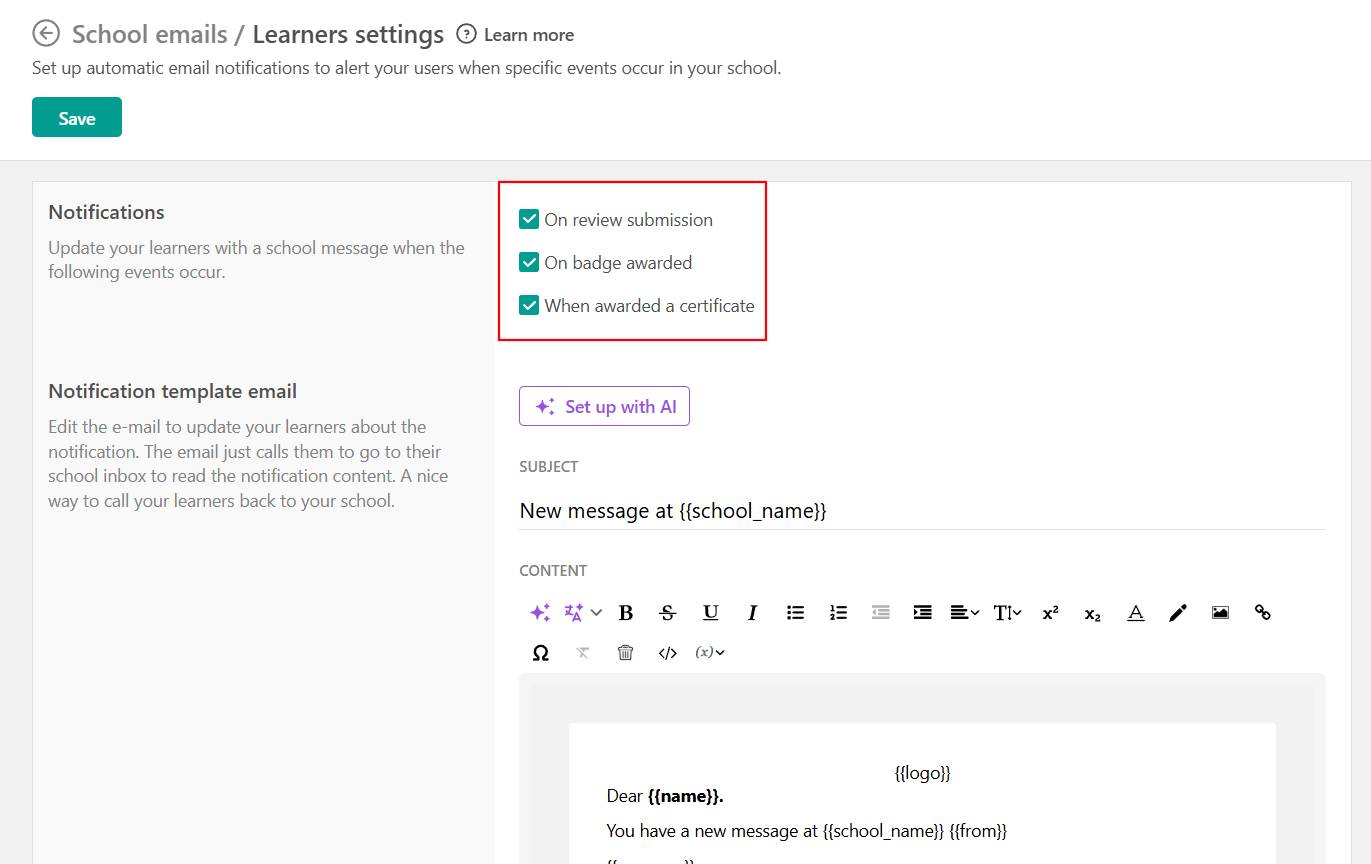 You can also use AI to help you create or improve your emails:
- Click Set up with AI
- Describe what you want in the prompt box
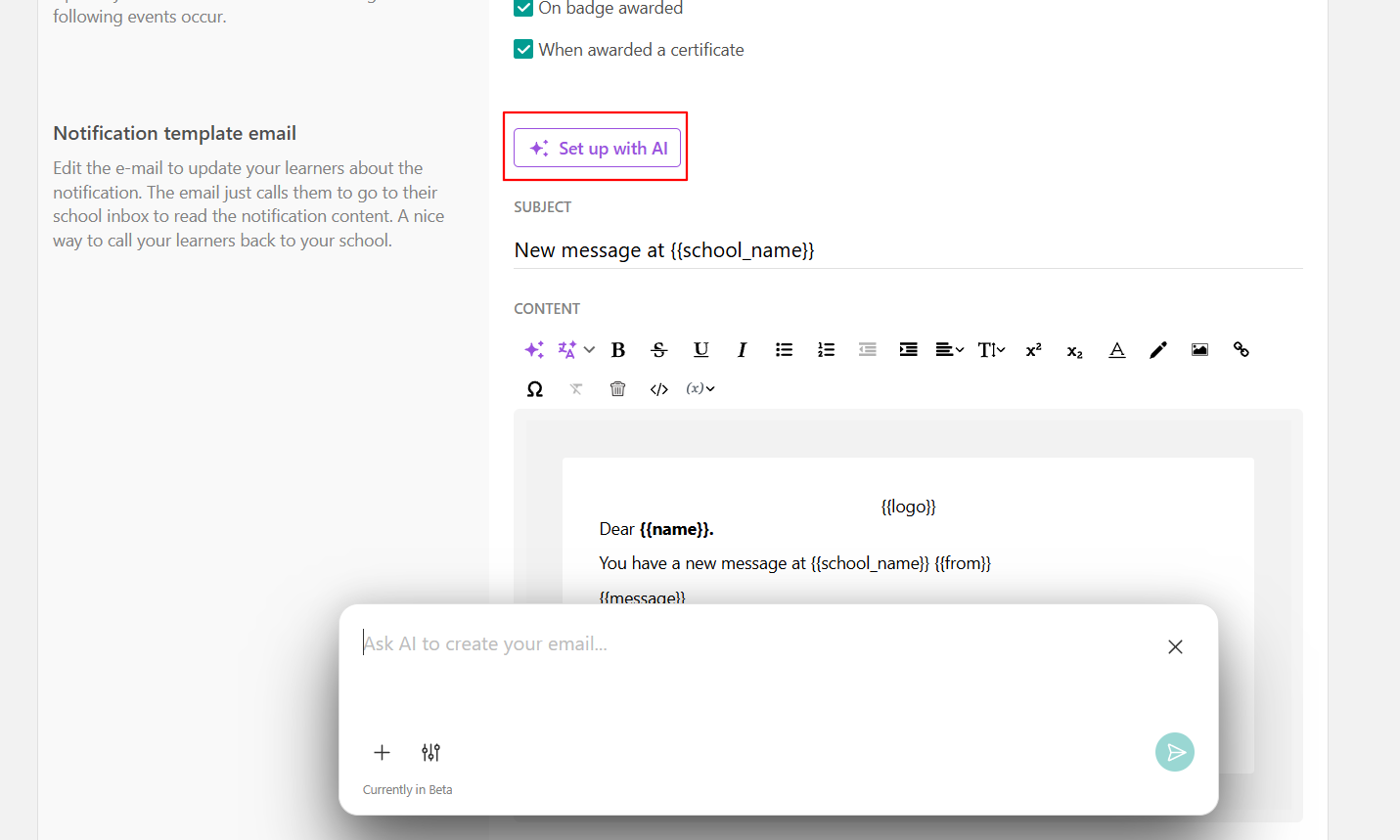 Include links and variables that automatically display personalized information for each user. You can also use the AI Assistant to refine, improve, or translate your email content.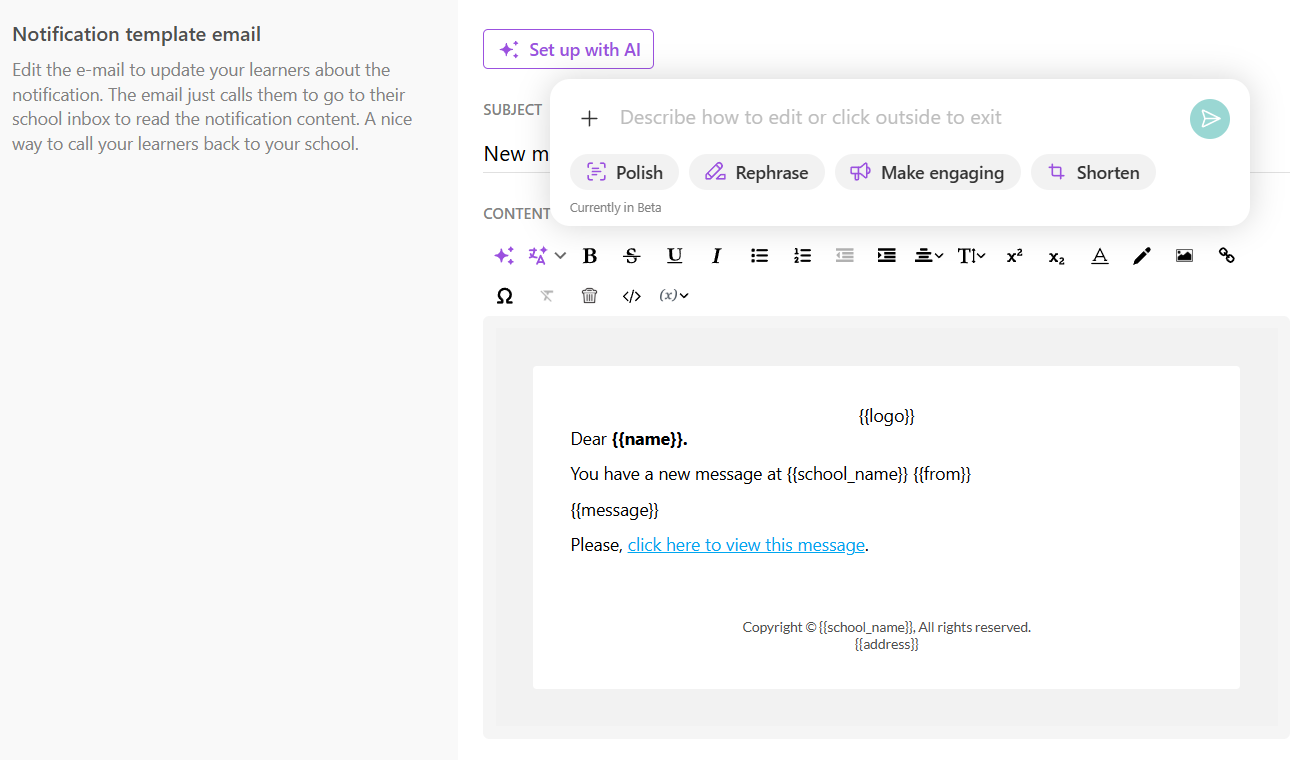
 - For the notification emails to work properly, the Messenger (Inbox) option should be enabled, under Settings → Community access.
  - If you wish to edit the links/variables of your school emails, follow the steps in this article.
Send test email
You can review and refine the email before sending it to your recipients. To send a test email, select an admin account from the list and click Send test email. The subject line of the test email will include the [test email] prefix.