
In some cases, you may want to create a course that includes only one learning activity, such as a webinar replay, a digital download, or a SCORM package.
For these cases, you can use the Single-Activity Course Player skin, which offers a more minimal course experience by removing the navigation panel and focusing the learner’s attention on a single activity.
This is ideal when you want to deliver one piece of content without the standard course outline layout.
Why use the Single-Activity course player skin?
Even if your course includes only one activity, standard course player skins still display navigation elements that are designed for multi-section courses.
The Single-Activity skin removes the course navigation panel, creating a cleaner and more focused experience. This is especially useful for:
- Digital products (PDFs, downloads, templates)
- Webinar replays or event recordings
- SCORM learning activities
- Single quizzes, assessments, or certifications
- Service delivery (e.g., access to a booking link or coaching material)
How to create a Single-Activity course
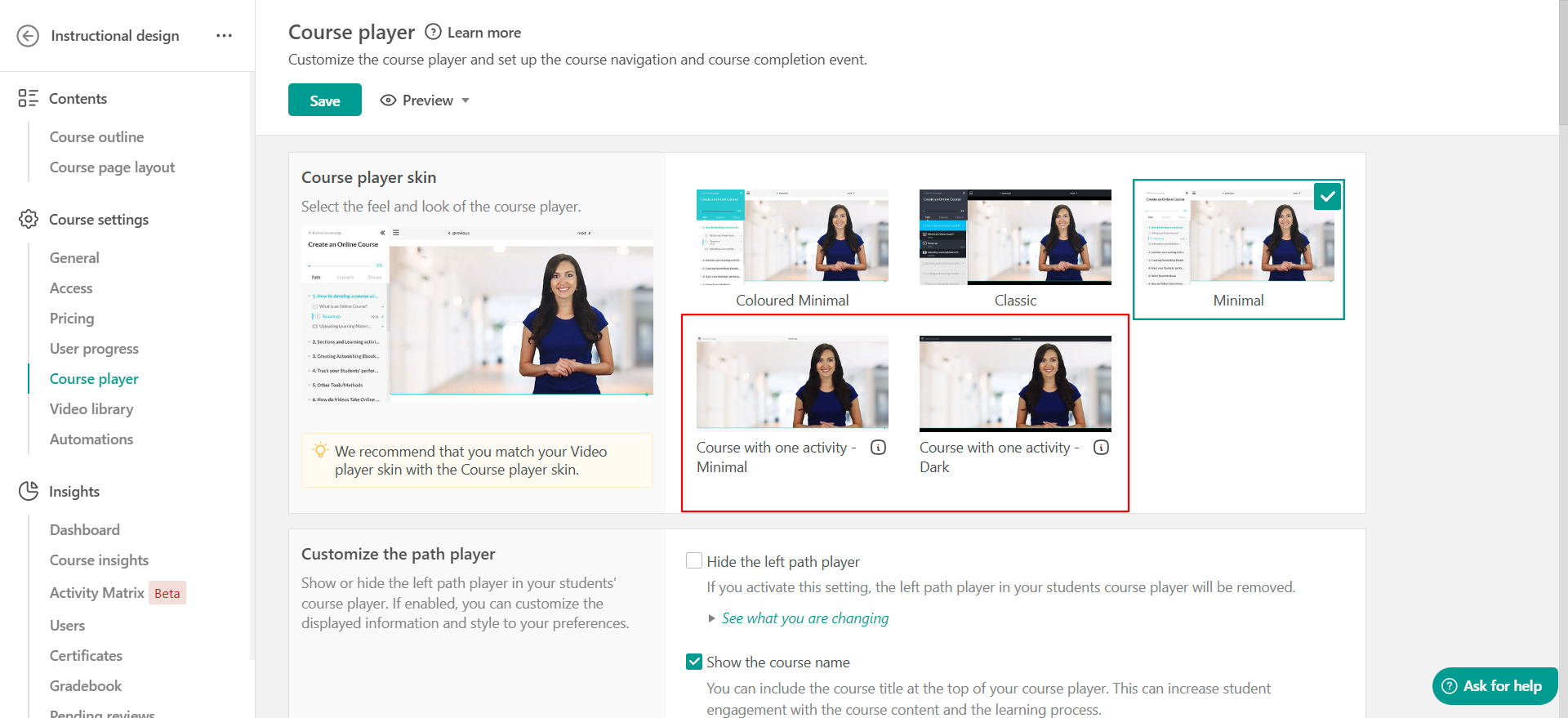
Single Activity Course is a course player skin with a minimalistic feel and no navigation panel. This unique feature offers a better navigational experience to your users when selling digital products and services or on special occasions such as webinars and SCORM learning activities.
To create a single activity course, you need to:
1. Create a course and add only one learning activity to it.
2. Navigate to the Course Player tab.
3. Select one of the two single-activity course player skins available.
In the Course outline tab, you will see the relevant message that informs you that this course has been set up to present only the first activity of the first course section. 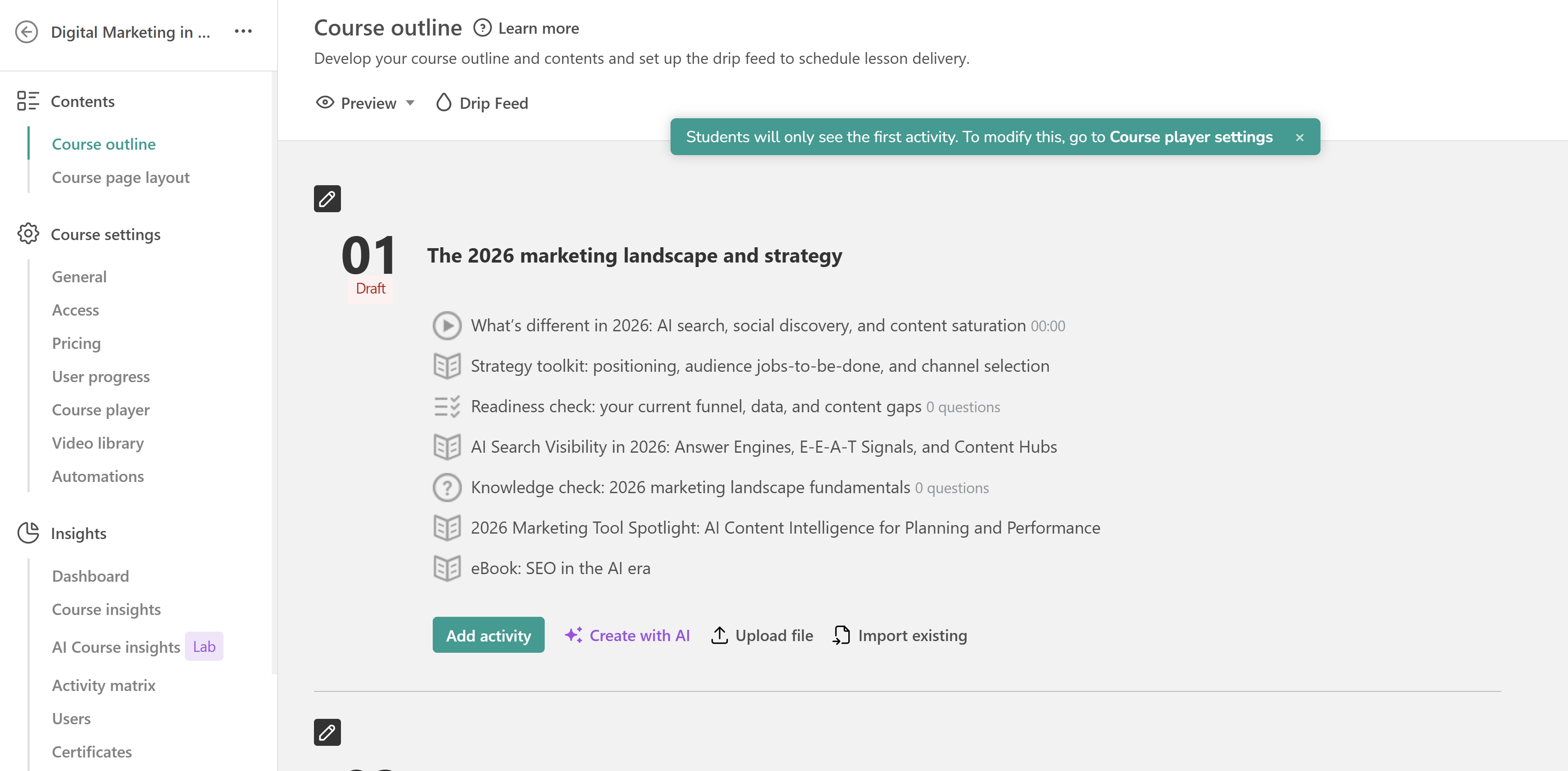
You can then Preview your Course Player. The result will be a minimalistic course player with a single learning activity.
