AI credits allow you to extend the use of LearnWorlds’ AI-powered course creation tools, including AI-generated quizzes, course outlines, and content assistance.
In this article, you will learn how to manage and add extra AI credits to your account.
AI usage
To track your AI usage,
1. Navigate to Settings → Integrations → AI.
2. Click on Provider.
3. In the AI Provider tab, you can monitor your free and additional AI credit usage.
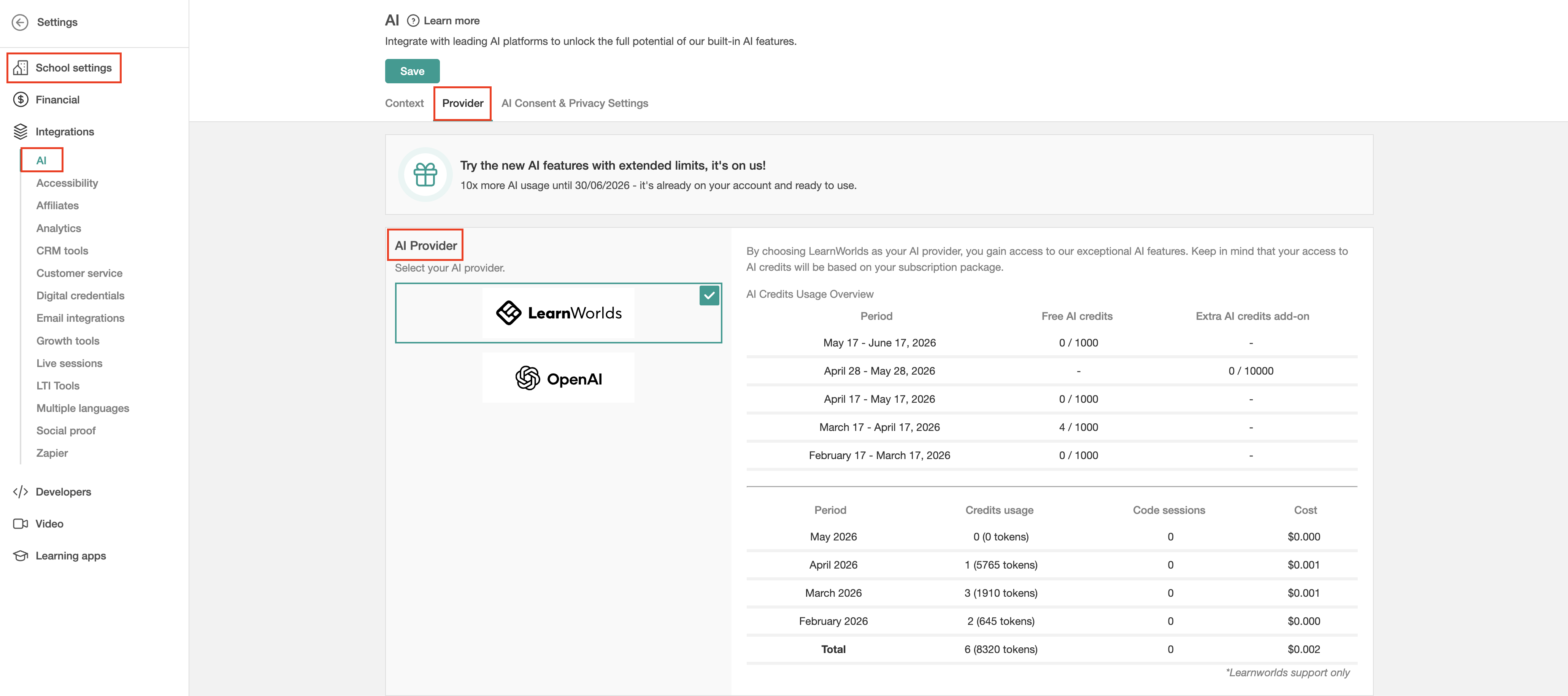
 AI credit consumption is usage-based. More advanced AI flows may consume multiple AI credits, depending on the complexity and amount of AI processing required.
Add extra AI credits
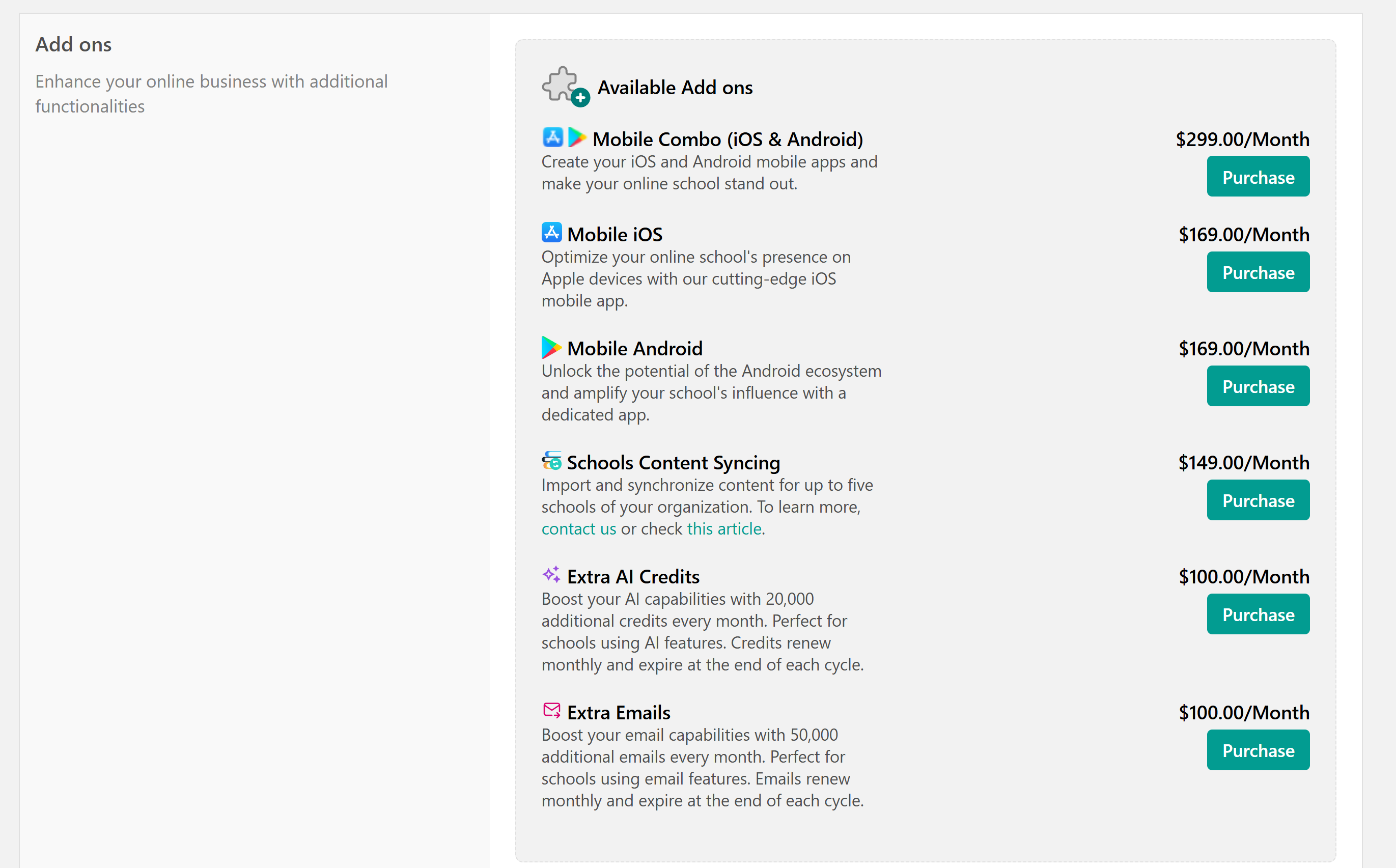
If you run out of your monthly AI credit quota, you can purchase the extra AI Credits Add-on directly from your dashboard.
Each add-on provides 20,000 additional AI credits per month and renews automatically according to your current billing cycle (monthly or yearly).
1. Navigate to My Account → Account & Billing.
2. On the Extra AI Credits, click Purchase.