


We're sorry to see you go, yet we are confident that our paths will cross again in the future.
In this article, you will learn how to cancel your LearnWorlds subscription.
1. Navigate to My account → Account & Billing → Subscriptions. If the Plans page opens first, click the back arrow and then select Subscriptions.
2. Click on Cancel subscription.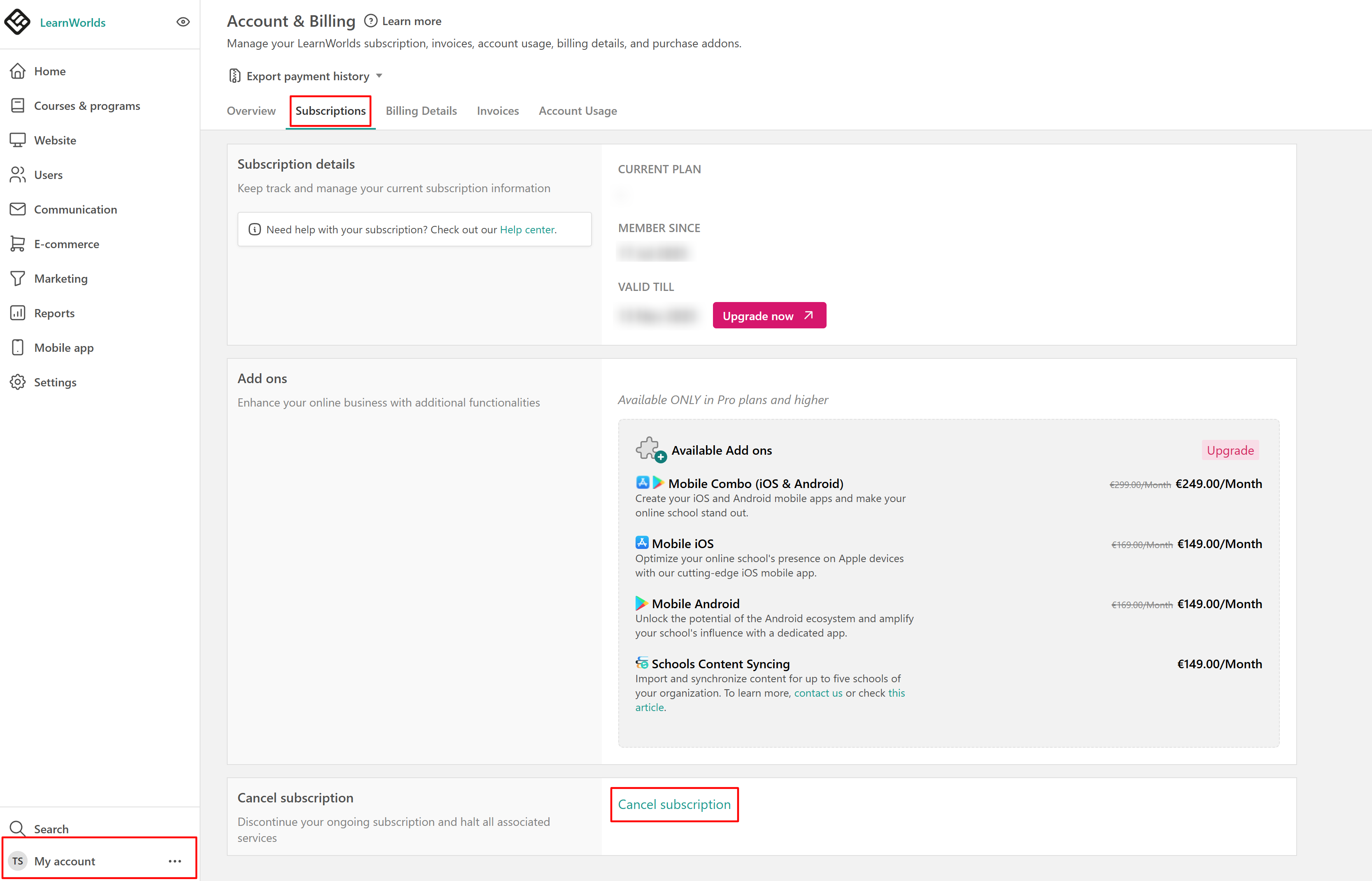
3. Follow the steps in the pop-up window to complete the subscription cancellation process.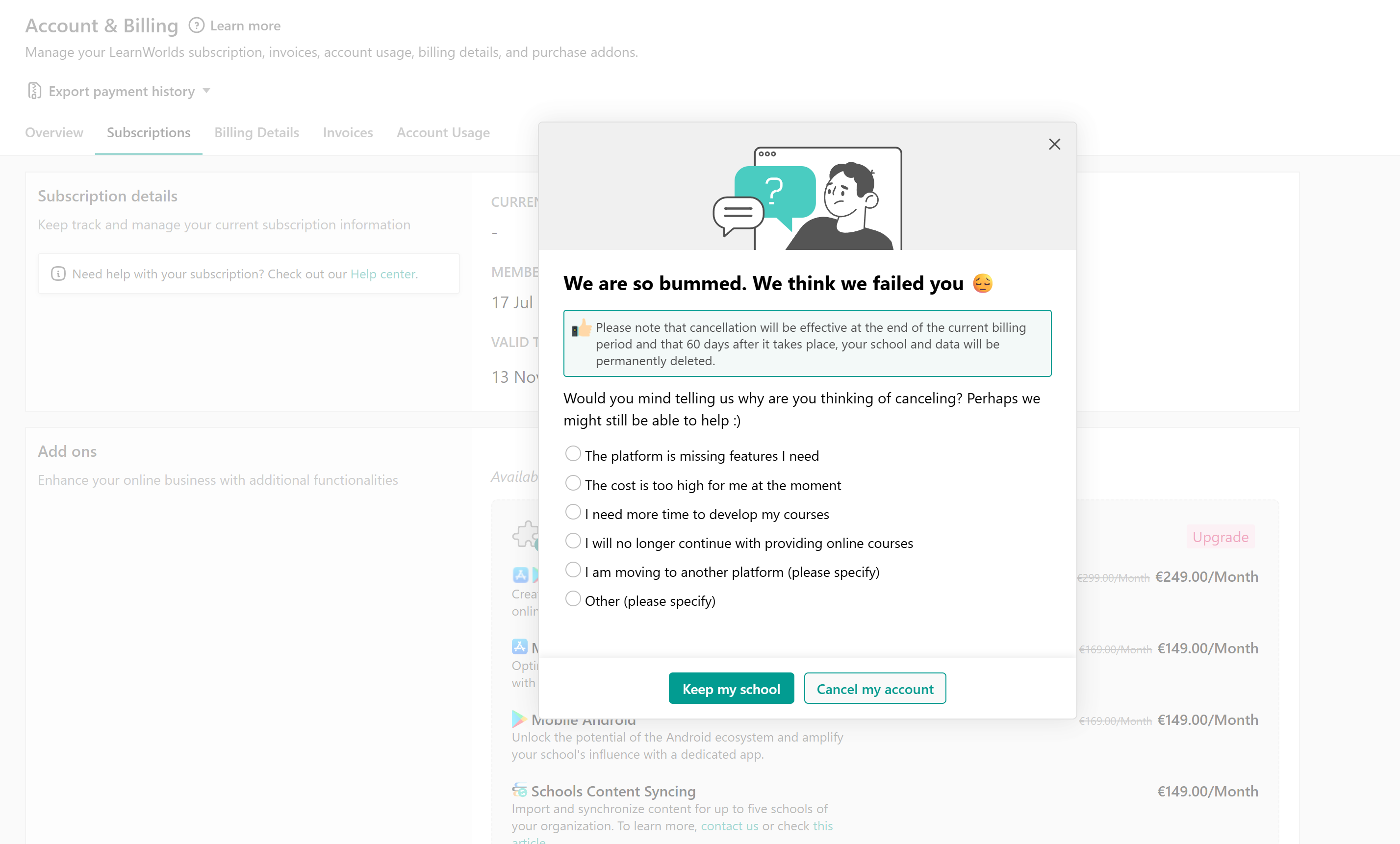
After canceling your plan, a notification appears confirming that the cancellation has been scheduled for the end of your current billing cycle. You will also see the exact date until which your plan remains active, along with the option to Reactivate Subscription.


- Canceling your LearnWorlds subscription does not automatically cancel active learner subscriptions within your school. To stop recurring learner subscriptions, you must manually unenroll users from the product or cancel their subscriptions directly through Stripe.
- For trial accounts, no cancellation is required since no payment method has been added. Trial schools are automatically scheduled for deletion once the trial period expires and no paid plan has been activated. Further information is available here.
- For more information, visit our Terms & Conditions.