


The Terms & Conditions page outlines the rules, terms, and conditions users must review and agree to during the checkout process before purchasing your products.
Each LearnWorlds school includes a prebuilt Terms & Conditions page with sample content that you can edit or fully customize to match your business and legal requirements.
In this article, you will learn how to customize your Terms & Conditions page in LearnWorlds.
Customize Terms & Conditions
1. Navigate to Website → Design → Edit Website.
2. Search for the Terms & Conditions page to edit in the Page Manager.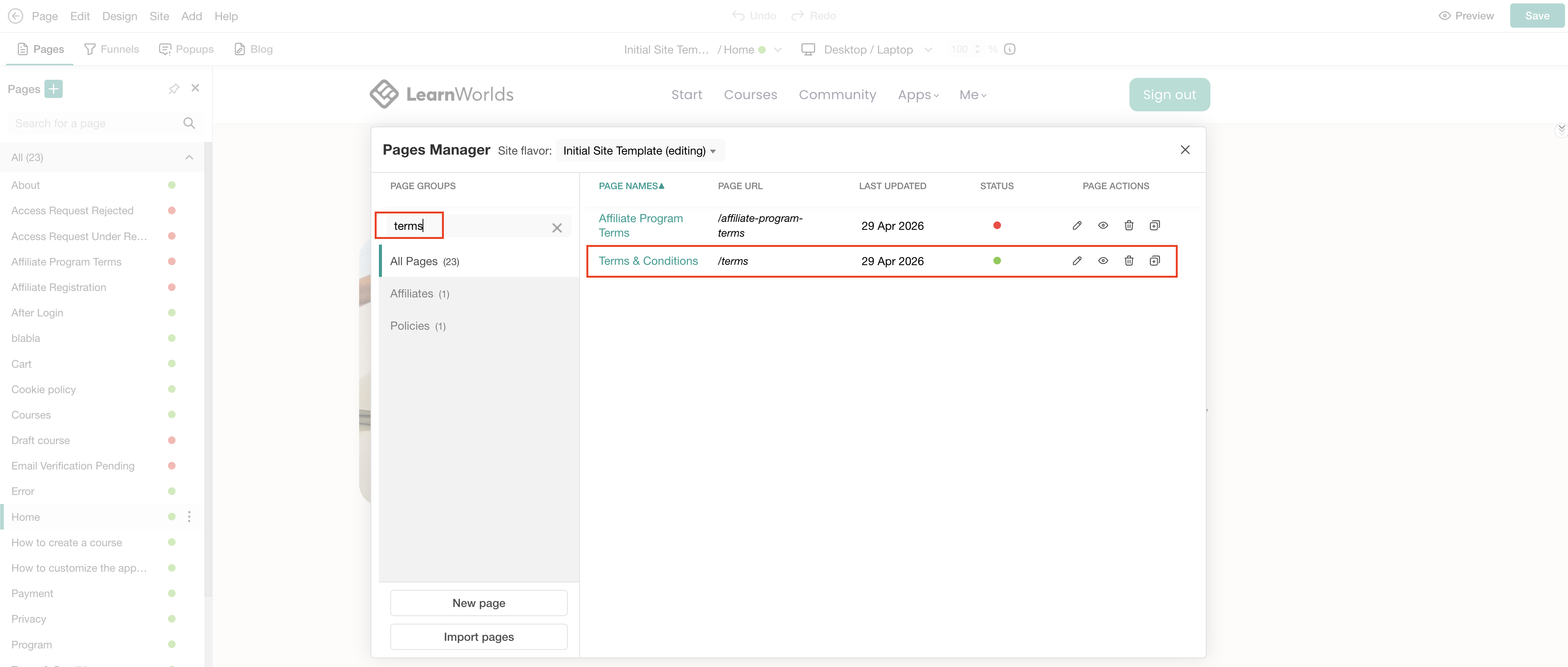 3. Edit the text to match your needs and legal requirements. When reviewing, make sure to replace all sample variables and placeholders with your school’s actual information:
{{school.company_name}} → Your school or company name
{{school.url}} → Automatically displays your school URL
{{school.contact_email}} and {{school.sales_email}} → Your school email addresses
[phone_number] → Your contact phone number
[address] → Your company’s physical address
[country] → Your company’s country
[Company Registration Number] → Your company registration number
subdomain.yourschool.com → Your school’s actual URL
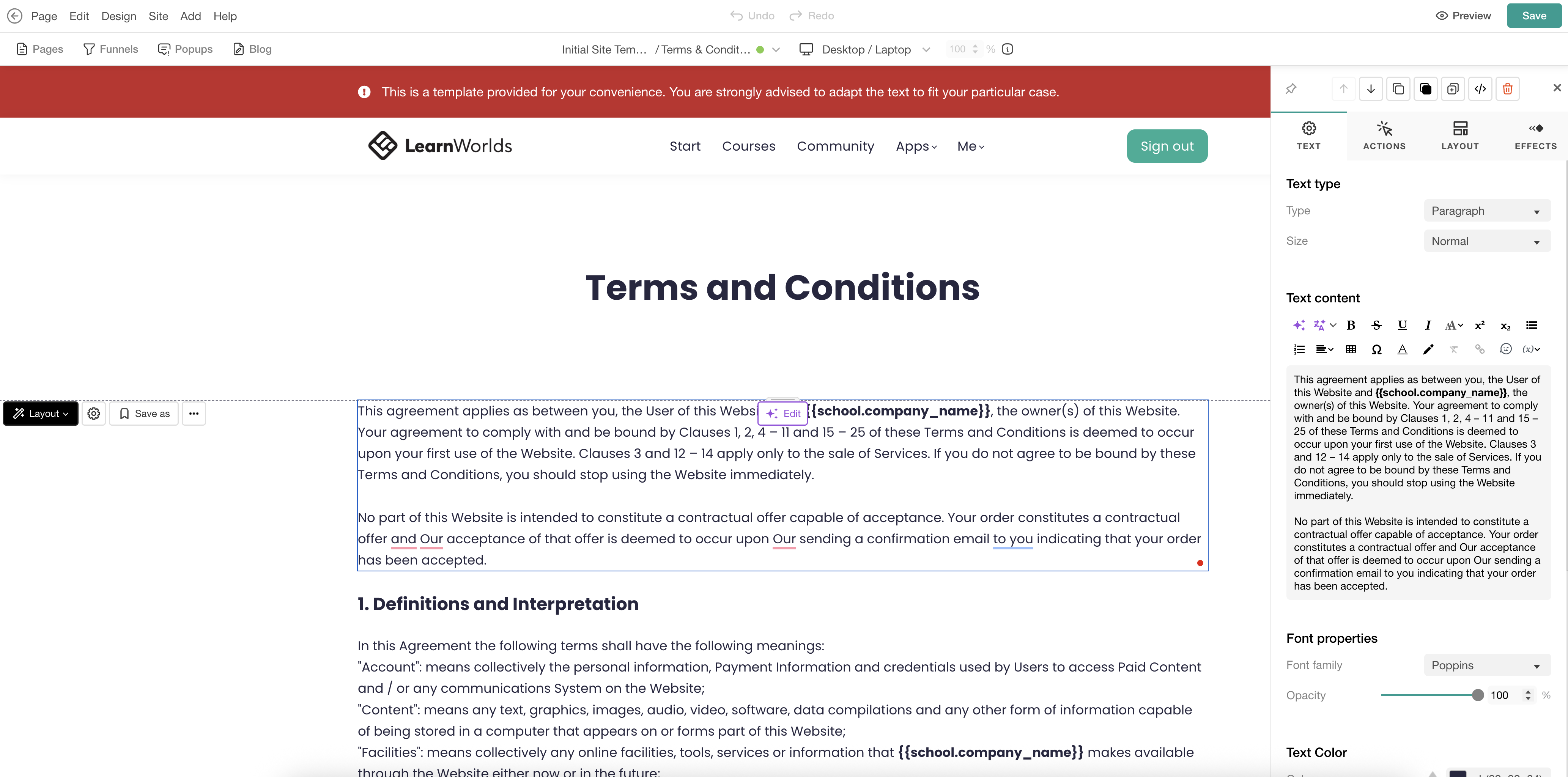
4. Click Save to save changes on the page.
 The sample Terms and Conditions text is provided only as a starting point to help you structure your page and does not constitute legal advice. Once edited or removed, the original sample text cannot be restored.